[Announcement] Suspension of Lazada Listing APIs during 11.11 Campaign

The biggest Mega Campaign 11.11 is coming very soon.

Please take note of the schedule below, and details of the service restriction, and prepare the campaign activities in-advance.

Affected Products: All products 

Time Period: 10 November 2020 (22:00:00) – 11 November 2020 (23:59:59)


The following APIs will be unavailable / suspended during the period:

  • Remove, Create, and Update Products
  • Migrate, Set, Upload Images
  • Seller Center Batch Upload via Excel – Create Products, Update Products, Update Image, Status

The following APIs will still be available / not suspended:

  • Manage images
  • Adjust stock (increase or decrease) in product management page
  • Update price in product management page


We appreciate your understanding and cooperation. Hope you have successful sales!

Zetpian wishes you sell more online and grow together! ?

[Useful Tips] Bulk Update WooCommerce Pricing in Zetpy

To bulk update WooCommerce pricing in Zetpy, go to WooCommerce plugin.

Click on Bulk Price Update and you can modify the details below using Excel file:

  • New Regular Price
  • New Sale Price

Once done, upload the file to Zetpy. You will see products has been updated with Success pop-up.

Checkout our tutorial to Bulk Update WooCommerce Pricing in Zetpy here.

Zetpian wishes you sell more online and grow together! 🙂

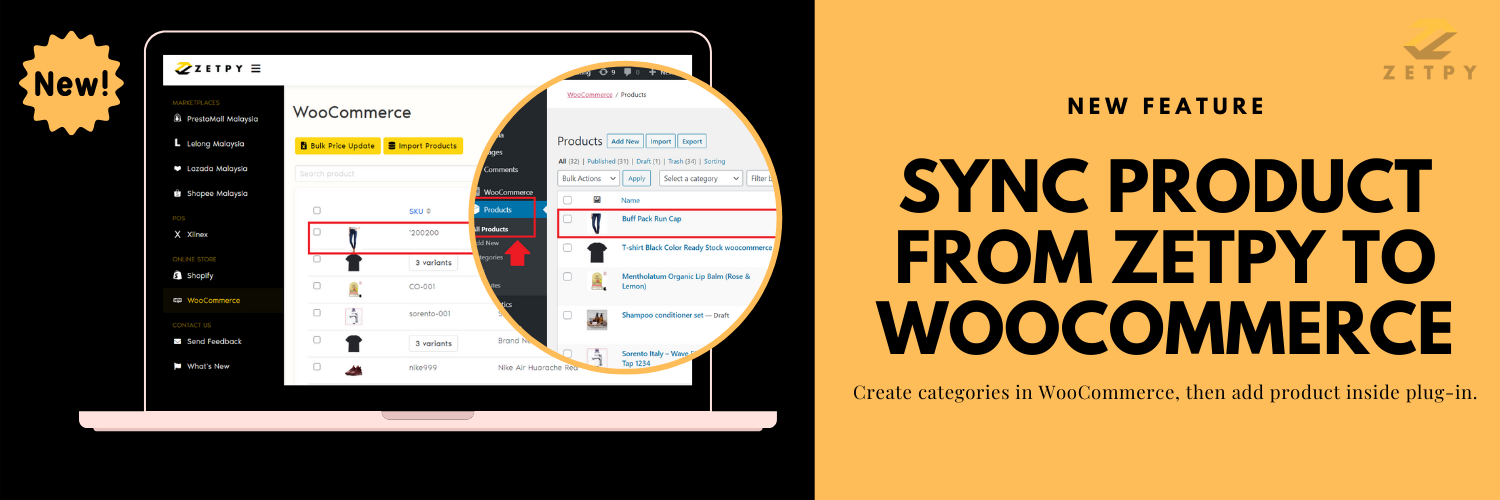
[New Feature] Sync Product from Zetpy to WooCommerce

Before you add your product to WooCommerce plug-in, make sure you have created product in Zetpy Product Core.

Go to WooCommerce plug-in > Add Product. Select your product and it will sync successfully.

Log in to your WooCommerce store. Go to Products > All Products.

Search for your product name and click on name link to see product details.

Checkout our tutorial to Sync Product from Zetpy to WooCommerce here.

Zetpian wishes you sell more online and grow together! 🙂

[New Feature] Setup Zetpy Webhook inside WooCommerce store (Order Updated)

We have release a new update feature for WooCommerce plugin. It is to ensure your WooCommerce order sync status is up-to-date inside Zetpy.

Login to your WooCommerce store > WooCommerce > Settings. Then, go to Advanced > Webhooks.

Click on Add Webhook. Fill in the all of the Webhook data and save it.

Checkout our tutorial to Setup Zetpy Webhook inside WooCommerce store (Order Updated) here.

Zetpian wishes you sell more online and grow together! 🙂

[New Update] Set General Setting for Lazada plugin

Now you can set general settings for Lazada plugin for new products!

Login to your account and go to Lazada Malaysia. Then, click on Accounts > Setting.

In this section, you need to fill in the information such as:

i. Warranty Type: International Manufacturer, International Seller, Local Manufacturer, Local Supplier, or No Warranty.

ii. Warranty Period: 1 month and up to 30 years.

iii. Dangerous Goods: Battery, Flammable, Liquid, or None.

Checkout our tutorial on Set General Setting for Lazada plugin here.

Zetpian wishes you sell more online and grow together! ?
[Useful Tips] Bulk Update Shopify Pricing in Zetpy

To bulk update Shopify pricing in Zetpy, go to Shopify plugin.

Click on Bulk Price Update and you can modify the details below using Excel file:

  • New Price
  • Current Compare At Price
  • New Compare At Price

Once done, upload the file to Zetpy. You will see products has been updated with Success pop-up.

Checkout our tutorial to Bulk Update Shopify Pricing in Zetpy here.

Zetpian wishes you sell more online and grow together! 🙂

[Useful Tips] Bulk Export Price/Stock in StoreHub plugin

On StoreHub plugin, you can bulk export Price/Stock to Excel with few simple steps.

Login to your account and go to StoreHub. Click on Bulk Price/Stock Export.

You can download existing product price and/or stock in CSV file and import in StoreHub backoffice, based on:

  1. Price List
  2. Stock List
  3. Price & Stock List

Click on the Re-Sync Products button to sync the product Price & Stock from StoreHub to Zetpy.

Checkout our tutorial to Bulk Export Price/Stock in StoreHub plugin here.

Zetpian wishes you sell more online and grow together! 🙂

#NewFeature: Add Products on StoreHub store

Adding more products into the market will keep consumers interested with more choices and variations available to them.

Now you can add new products on StoreHub, our POS partner. This will allow you to manage and sync your products to many more plug-in channels inside Zetpy.

Checkout our tutorial to Add Products on your StoreHub store here.

Zetpian wishes you sell more online and grow together! 🙂

#NewFeature: Authorize StoreHub plugin inside Zetpy

Now you can authorize StoreHub, our POS partner inside Zetpy!

Get the Consumer Username & Consumer Secret to authorize StoreHub plugin. Then, simply Import products from StoreHub to Zetpy.

Checkout our tutorial to Authorize StoreHub plugin inside Zetpy here.

Zetpian wishes you sell more online and grow together! 🙂

[Announcement] Suspension of Lazada Listing APIs during 9.9 Campaign

Dear Valued Sellers,

The 9.9 Campaign is coming very soon.

Please take note of the schedule below, and details of the service restriction, and prepare the campaign activities in-advance.

Affected Products: All products 

Time Period: 07 September 2020 (22:00:00) – 11 September 2020 (23:59:59)


The following APIs will be unavailable / suspended during the period:

  • Remove, Create, and Update Products
  • Migrate, Set, Upload Images
  • Seller Center Batch Upload via Excel – Create New Products, Update Products, Update Image

The following APIs will still be available / not suspended:

  • Manage images
  • Adjust stock (increase or decrease) in product management page
  • Adjust price in product management page


We appreciate your understanding and cooperation. Hope you have successful sales!

Zetpian wishes you sell more online and grow together! ?