How to Manage Inventory Across Shopee, Lazada, and TikTok Shop?
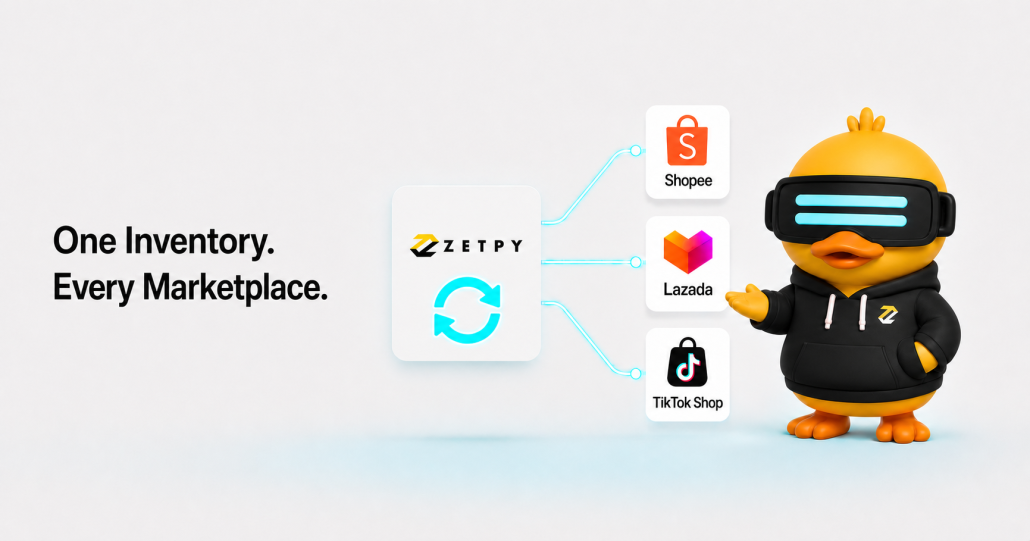
Selling on Shopee, Lazada, and TikTok Shop helps your business reach more customers. However, managing inventory across several marketplaces can become complicated.

Every time a product sells, your team needs to update the available quantity on the other marketplaces. If these updates are done manually, they can easily be delayed, forgotten, or entered incorrectly.

Centralized inventory management solves this problem by connecting your sales channels to one inventory system. When an order comes in, the system updates your inventory across every connected marketplace in real time.

This reduces manual work and helps lower the risk of overselling.

Why manual inventory management becomes difficult

Imagine that you have 20 units of a product available.

You list the product on:

  1. Shopee
  2. Lazada
  3. TikTok Shop

A customer buys two units through Shopee. Your available inventory is now 18 units.

If your marketplaces are not connected, your team must log in to Lazada and TikTok Shop to change the quantity from 20 to 18. The same process must be repeated every time another customer places an order.

This may seem manageable when you only have a few products. It becomes much harder when you have:

  1. Hundreds or thousands of SKUs
  2. Different product variations
  3. Multiple marketplace accounts
  4. Frequent daily orders
  5. Large campaign sales volumes

The more products and marketplaces you manage, the greater the chance of an inventory error.

Common problems caused by manual inventory updates

Managing inventory separately on every marketplace creates unnecessary work for your team.

It can also cause several operational problems.

Different inventory quantities across marketplaces

Your Shopee store may show 10 units while Lazada shows eight and TikTok Shop shows 12.

When each marketplace displays a different number, your team may not know which quantity is correct.

Repetitive data entry

Your employees have to enter the same information several times. This takes time that could be used for order processing, customer service, marketing, or other important work.

Human error

An employee may accidentally enter 100 units instead of 10. Another team member may forget to update one marketplace after receiving a large order.

Even a small mistake can create problems when a popular product sells quickly.

Delayed inventory updates

Your team may not have time to update every marketplace immediately, especially during flash sales, livestreams, payday campaigns, or festive promotions.

While waiting for the manual update, customers may continue ordering products that are no longer available.

Overselling

Overselling happens when customers purchase more units than you can fulfil.

This can lead to cancelled orders, disappointed customers, additional customer service work, and possible effects on your marketplace performance.

What is centralized inventory management?

Centralized inventory management means controlling your inventory from one main system instead of updating every marketplace separately.

Products across Shopee, Lazada, and TikTok Shop are connected using their SKUs. An SKU is a unique product code that identifies a specific product or variation.

For example:

  1. TSHIRT-BLACK-S
  2. TSHIRT-BLACK-M
  3. TSHIRT-BLACK-L

Each size has a different SKU because each variation has its own available quantity.

When a customer places an order, the centralized system identifies the correct SKU and deducts the purchased quantity. It then updates the inventory for that SKU across all connected marketplaces in real time.

How real-time marketplace inventory sync works

Here is a simple example.

You have 20 units of Product A available across Shopee, Lazada, and TikTok Shop.

A customer buys two units through Shopee.

The inventory workflow is:

  1. The Shopee order is received by the centralized system.
  2. The system identifies the SKU for Product A.
  3. Two units are deducted from the central inventory.
  4. The available quantity changes from 20 to 18.
  5. The Inventory will then sync to Lazada, and TikTok Shop in real time.

Your team does not need to visit each marketplace and enter the new quantity manually.

The same process happens when an order comes from Lazada or TikTok Shop.

How centralized inventory management reduces manual work

Update inventory in one place

When new inventory arrives, your team only needs to update the quantity in the central system.

The updated quantity is then sent to your connected marketplaces in real time.

This is useful when you:

  1. Receive new products from a supplier
  2. Complete an inventory count
  3. Stock auto deduction when online order is made.

Your team spends less time repeating the same task across multiple seller centres.

Automate inventory deductions

Every connected order automatically reduces the available inventory for the matching SKU.

Your employees do not need to calculate and update the remaining quantity after every sale. This reduces repetitive work and helps prevent calculation or typing errors.

Manage more marketplaces without adding more tasks

Adding a new sales channel usually creates more administrative work.

With centralized inventory management, your team can manage additional connected marketplaces without creating a separate manual inventory process for each one.

Give everyone one inventory reference

A central inventory system gives your sales, warehouse, and operations teams one main master to follow.

This makes it easier to answer questions such as:

  1. How many units are available?
  2. Which products need replenishment?
  3. Can we include this product in the next campaign?
  4. Which variation is running low?
  5. Do we have enough inventory for an upcoming livestream?

Your team can make decisions using the same information.

How centralized inventory management reduces overselling risk

Centralized inventory management helps reduce overselling by keeping inventory quantities aligned across connected marketplaces.

Every marketplace uses the same inventory pool

Instead of maintaining separate quantities for Shopee, Lazada, and TikTok Shop, the connected listings use one central inventory quantity.

A sale on one marketplace reduces the quantity available to all marketplaces.

Inventory updates happen in real time

When a product sells, the new inventory quantity is sent to every connected marketplace in real time.

This prevents your other sales channels from continuing to display an outdated quantity.

Automated updates reduce human error

Your team no longer needs to remember every inventory change or type the same number into several marketplace accounts.

Fewer manual updates mean fewer opportunities for missed entries and typing mistakes.

Fast-selling products are easier to control

Real-time inventory synchronization is especially valuable during:

  1. Flash sales
  2. Marketplace campaigns
  3. Livestream selling
  4. New product launches
  5. Festive shopping periods
  6. Influencer promotions

When orders arrive quickly from several marketplaces, the central inventory system keeps each connected channel updated.

Centralized management greatly reduces overselling risk, but sellers should still maintain accurate product information and good inventory processes.

How Zetpy helps manage inventory across marketplaces

Zetpy is an omnichannel commerce platform that helps sellers manage products, inventory, and orders across connected sales channels.

Sellers can connect marketplace accounts such as Shopee, Lazada, and TikTok Shop to Zetpy.

When a customer places an order through a connected marketplace, Zetpy deducts the purchased quantity from the matching SKU. It then updates the inventory across the other connected sales channels in real time.

With Zetpy, your team can:

  1. Manage marketplace inventory from one place
  2. Synchronize inventory across Shopee, Lazada, and TikTok Shop
  3. Update product details and inventory under connected online marketplaces in real time
  4. Reduce repetitive manual updates
  5. Lower the risk of overselling
  6. Manage multiple marketplace accounts
  7. View and process marketplace orders centrally
  8. Maintain clearer inventory visibility

Zetpy also supports connections with selected webstores, point-of-sale systems, accounting software, and other business systems. This helps businesses build a more connected omnichannel operation.

Learn more about Zetpy’s centralized inventory management.

Simplify your marketplace inventory management

Managing inventory across Shopee, Lazada, and TikTok Shop should not require your team to update three separate seller centres after every sale.

Centralized inventory management gives your business one main channel to update your product, inventory and process your online marketplace orders. When an order comes in from a connected marketplace, the purchased quantity is automatically deducted and the updated inventory is synced across your other sales channels in real time.

This helps your team reduce manual work, avoid common inventory errors, and lower the risk of overselling.

With consistent SKUs, one inventory master, regular physical counts, and real-time synchronization, you can manage your marketplaces with greater accuracy and confidence.

Ready to simplify your marketplace inventory management? Book a free Zetpy demo and discover how to manage Shopee, Lazada, and TikTok Shop from one platform.
When Should You Upgrade to an Omnichannel Management System? 5 Clear Signs


Spreadsheets can work well when you are starting an online business. You may only have a small product range, a few orders, and one sales channel to manage.

However, the same setup becomes harder to control as your business grows.

If you now sell through Shopee, Lazada, TikTok Shop, Shopify, WooCommerce, or physical stores, your team may spend too much time copying information between systems. Stock mistakes, missed orders, and slow updates can soon follow.

Here are five signs that it may be time to upgrade to an omnichannel management system.

1. Your stock numbers often do not match

You update the stock quantity in a spreadsheet. Then, you need to enter the same number in every marketplace and webstore.

The problem is that stock can change before you finish all the updates.

For example, your last unit may sell on Shopee while it is still available on TikTok Shop. Another customer could then order an item that you no longer have.

An omnichannel inventory management system gives your team one central place to manage stock. When an order comes in, the system can update the available quantity across connected sales channels.

This helps reduce the risk of overselling and cancelled orders.

2. Your team spends too much time switching dashboards

Managing separate marketplace dashboards may be fine when order volume is low. It becomes less practical when your team needs to check several seller accounts throughout the day.

Your staff may need to:

  1. Log in to different platforms
  2. Check new orders one by one
  3. Download or print shipping documents
  4. Update order statuses
  5. Copy sales information into another system

These small tasks can take up a large part of the working day.

A central order management system brings orders from supported channels into one dashboard. Your team can view and process orders with less switching between platforms.

Zetpy, for example, supports centralized order management for connected marketplaces and online stores. Its official pages describe order and inventory connections for channels such as Shopee, Lazada, TikTok Shop, Shopify, WooCommerce, and Magento.

3. Product updates are becoming difficult to manage

Each sales channel may require different product names, descriptions, prices, images, and variations.

When you manage everything separately, even a simple product change can become a long task. Your team may also forget to update one of the channels.

This can lead to:

  1. Old product information
  2. Incorrect prices
  3. Missing variations
  4. Inconsistent product listings
  5. Repeated data-entry mistakes

An omnichannel system can provide a central product list. You can manage core product information in one place and publish or update it across supported channels.

With Zetpy, sellers can create or import products and sync them to connected marketplaces and webstores.

4. Spreadsheets no longer give you a clear business view

A spreadsheet is only useful when the information inside it is complete and current.

As order volume grows, your reports may depend on several people downloading files, copying figures, and checking formulas. By the time the report is ready, the numbers may already be outdated.

This makes it harder to answer simple questions:

  1. Which channel is generating the most sales?
  2. Which products are running low?
  3. Do the marketplace figures match your internal records?

A centralized system can bring sales, order, product, and inventory information together. This gives your team a clearer operational view without combining multiple spreadsheets every day.

5. Growth is creating more manual work

Business growth should not mean adding another manual task every time you open a new store or marketplace account.

If each new channel requires your team to copy more products, update another stock list, and check another order page, your current process may not scale well.

This is a strong sign that you have outgrown spreadsheets.

An omnichannel platform can connect supported marketplaces, webstores, POS systems, and back-office tools. This helps information move between systems with less manual entry.

Zetpy is designed for this type of workflow. Depending on the selected setup and integrations, it can help sellers connect product, inventory, order, POS, and accounting processes. Specific features can differ by channel and integration, so sellers should confirm their required workflow before implementation.

How Zetpy can support growing online sellers

Zetpy is an omnichannel commerce platform for sellers managing multiple online and offline sales channels.

It can help businesses:

  1. Manage all the online channel’s products from a central platform
  2. Sync inventory across connected online channels
  3. Process all online marketplace orders from one dashboard
  4. Real-time sales reporting for your online channels and brands.com
  5. Support integration with POS and accounting.
  6. Reduce repeated manual data entry

Zetpy currently lists integrations with marketplaces and platforms including Shopee, Lazada, TikTok Shop, Zalora, Shopify, WooCommerce, and Magento. We also support integration with your software via API.

Is it time to upgrade?

You do not need to wait until mistakes become a daily problem.

If your staff spend hours updating stock, checking dashboards, fixing product information, or preparing reports, an omnichannel management system may be the next practical step.

The goal is not simply to replace your spreadsheets. It is to give your team a more reliable way to manage a growing online business.

Ready to explore a more connected workflow? Book a Zetpy demo to discuss your sales channels, order process, and inventory setup.

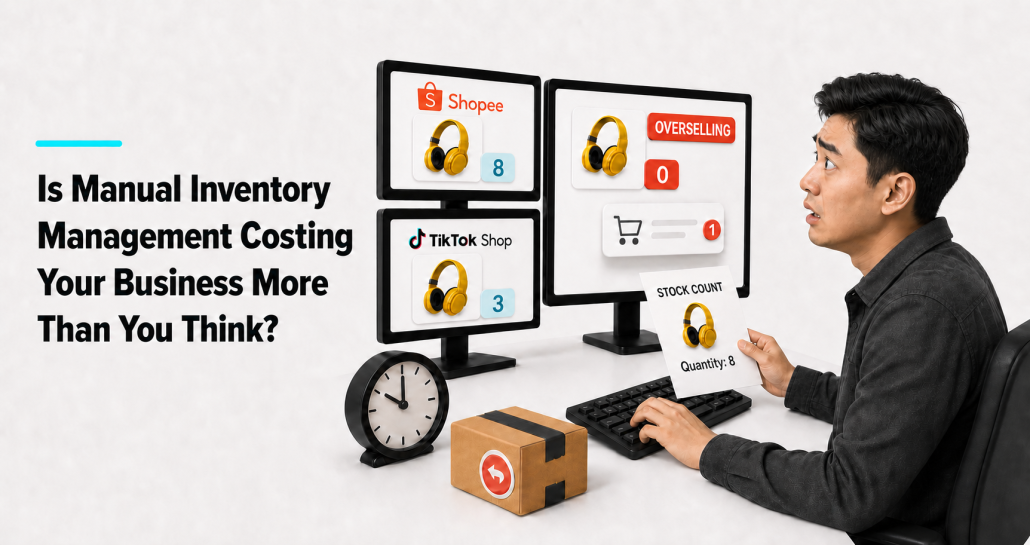
Is Manual Inventory Management Costing Your Business More Than You Think?

Managing inventory by hand may work when your business is small. You might use a spreadsheet, update each sales channel, and ask your team to check the stock before packing an order.

But this gets harder as your business grows.

When you add more products, orders, sales channels, or store locations, there are more chances for mistakes. Manual inventory management can take up your team’s time. It can also lead to cancelled orders, unhappy customers, and poor stock decisions.

Here are some signs that your current process may no longer be working well.

1. Your records do not match your actual stock

A stock difference happens when your records show one quantity, but your team finds another quantity in the warehouse or store.

For example, your spreadsheet may show 15 units, but your team can only find 11.

This can happen when:

  1. A sale was not recorded
  2. A return was not updated
  3. Damaged stock is still listed as available
  4. Someone entered the wrong stock number
  5. A stock transfer was not recorded

Even a small difference can cause problems. Your team may spend extra time checking old records or counting stock again. You may also list products that are no longer available.

2. You keep overselling products

Overselling happens when a customer buys a product that is already out of stock.

This often happens when the same stock is listed on several sales channels. For example, you may have five units available and list them on several marketplaces and your webstore.

When an item sells on one channel, the stock quantity on the other channels must also be updated. If the update is late or missed, another customer may order an item that you no longer have.

Your team may then need to cancel the order, arrange a refund, offer another product, or explain the problem to the customer.

One mistake can happen. But if overselling happens often, it may affect customer trust and create more work for your team.

3. Your team repeats the same updates

Your team may update the same stock quantity in a spreadsheet, marketplace account, webstore, and point-of-sale system.

This takes time and increases the chance of mistakes. Someone may enter the wrong number, forget one channel, or use an old spreadsheet.

If your team spends hours copying the same information between systems, that time is part of the cost of manual inventory management.

4. You depend on one spreadsheet or one person

Spreadsheets are useful, but they can become difficult to manage when several people use different copies of the same file.

Your sales team may check one version while the warehouse uses another. It then becomes difficult to know which number is correct.

There is also a risk if only one person understands the full inventory process. When that person is away, other team members may not know how to update stock or solve a problem.

A good inventory process should be clear and easy for the right team members to follow.

5. Checking your stock takes too long

How quickly can your team answer this question: “How many units do we have now?”

If they need to check several files, call the warehouse, and compare orders from different channels, your stock information may not be clear enough.

This makes it harder to decide:

  1. What to reorder
  2. Which products to promote
  3. Whether an order can be fulfilled
  4. Which products are selling slowly
  5. Whether stock should be moved between locations

Your inventory records should help your team make decisions without a long search.

6. You often run out of popular products

A product can run out because demand changes or a supplier is late. But if this happens often, your stock records may not be giving you a clear view of sales.

When sales from different channels are tracked separately, it is harder to see how quickly a product is selling. Your team may reorder too late and miss sales.

7. You keep more stock than you need

Poor stock records can also lead to too much stock.

When sellers do not trust their numbers, they may order extra units just in case. This uses money that could be spent elsewhere. It also adds storage costs and increases the risk of products becoming damaged, old, or hard to sell.

Clearer stock information can help you make better buying decisions.

8. Busy sales periods are difficult to manage

Manual work may seem manageable on normal days. During a campaign or festive season, orders can come in much faster.

Your team may need to check stock, update several channels, prepare orders, and correct mistakes at the same time. This can slow down order processing and put more pressure on staff.

If the same problem happens during every busy period, your current process may not be able to support your order volume.

Work out the cost of manual inventory management

Start with a simple calculation:

Weekly manual inventory cost = hours spent on inventory updates and corrections × average hourly staff cost

Then consider other costs, such as:

  1. Cancelled orders and refunds
  2. Discounts on excess stock
  3. Urgent stock purchases
  4. Missed sales when products run out
  5. Extra time spent checking and correcting records

You do not need a perfect number. A simple estimate can help you see whether your current process still makes sense.

When should you consider a connected system?

You do not need to change your whole process because of one mistake. But it may be time to review your setup if several problems happen often.

A connected inventory system may be useful when:

  1. You sell on several marketplaces or webstores
  2. Your online and physical stores share stock
  3. Your team updates the same information in different systems
  4. Overselling happens often
  5. Your stock reports are usually out of date
  6. Manual work is slowing down order processing

Start with the tasks that take the most time or cause the most mistakes. You can then decide where a better system may help.

How Zetpy can support a more organised process

Zetpy is an omnichannel commerce platform that helps sellers manage products, inventory, and orders across supported sales channels and connected business systems.

For supported channels and properly configured connections, stock updates can be synced across channels. This can reduce repeated updates and lower the risk of selling a product that is no longer available.

Zetpy may be useful for businesses that sell through several marketplaces, webstores, or connected retail systems. The available setup and workflow will depend on the channels and systems used by each business.

Technology does not replace good inventory practices. You still need accurate product records, regular stock checks, and clear steps for returns, damaged products, and stock transfers.

Zetpy should be seen as one part of a better inventory process. It can make connected stock information easier to manage, but your team still needs good working procedures.

Final thoughts

Manual inventory management may cost more than you expect. The cost is not only the time spent updating stock. It can also include cancelled orders, missed sales, excess stock, and extra work for your team.

Look at how your team manages inventory today. If they spend too much time checking, copying, and correcting information, it may be time to consider a more connected process.

Want to find out whether Zetpy fits your current setup? Talk to the Zetpy team about your sales channels and inventory process.


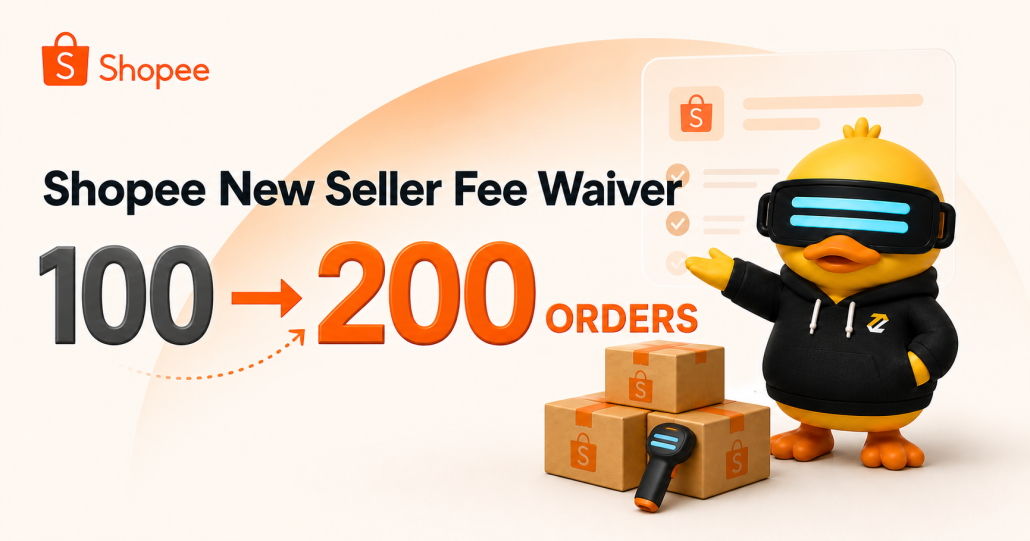
Shopee Raises New Seller Commission Fee Waiver Threshold From 100 to 200 Completed Orders

Starting an online business comes with many costs. Online sellers need to invest in products, packaging, marketing and order fulfilment, often before the business becomes profitable.

Shopee Malaysia is giving eligible new Marketplace sellers more room to grow by increasing its new seller commission fee waiver threshold from 100 to 200 completed orders.

Here is what new sellers need to know about the update and how Zetpy can help as their order volume grows.

What Is Changing?

Effective 1 August 2026, eligible new local Marketplace sellers will only start paying Shopee Marketplace Commission Fees after:

  • Their first product has been listed for more than 120 days; or
  • Their shop records more than 200 completed orders.

Whichever happens first will determine when the commission fee begins.

The completed-order threshold was previously 100 orders. With the new threshold, eligible sellers can now process up to 200 completed orders before reaching the order-based limit.

This gives new sellers more time and sales opportunities to test their products, attract customers and build a stronger foundation for their Shopee business.

You can read the full announcement on the Shopee Malaysia Seller Education Hub.

What Counts as a Completed Order?

Shopee defines completed orders as paid orders that have been delivered to and accepted by the buyer.

The count does not include:

  • Cancelled orders
  • Returned or refunded orders
  • Orders that are still pending delivery

Sellers can check their total completed orders in Shopee Seller Centre under Order > My Orders > Completed.

It is important to monitor this figure because reaching more than 200 completed orders can trigger the Marketplace Commission Fee, even if the shop has not reached the 120-day limit.

Who Can Enjoy the New Seller Benefit?

The commission fee waiver is intended for genuinely new local Marketplace sellers.

According to Shopee, a new seller is someone who has opened a new shop with a unique seller ID and does not already have another shop or previous dealings as a seller on Shopee Malaysia.

The benefit generally excludes:

  • Sellers with existing shops
  • Shops connected to the same user ID, seller ID, NRIC or business registration
  • Sellers who previously received Shopee’s new seller commission fee waiver
  • Sellers who take over an existing Shopee shop
  • Sellers operating through an agent, affiliate, proxy or related entity

Shopee will assess each seller’s eligibility. Sellers should contact Shopee Customer Service or their Relationship Manager if they are unsure whether their shop qualifies.

Why the 200-Order Threshold Matters

The increase from 100 to 200 completed orders gives eligible new sellers a longer runway to develop their business.

During this period, sellers can:

  • Test which products generate the most demand
  • Improve product titles, images and descriptions
  • Collect more customer ratings and reviews
  • Fine-tune pricing and promotions
  • Improve packing and fulfilment processes
  • Reinvest more of their early sales into business growth

However, more orders also mean more operational work. Managing stock manually may be manageable at ten orders, but it becomes much harder as the shop moves towards 100 or 200 orders.

That is where a centralised order and inventory system becomes useful.

Prepare for Growth With Zetpy

Zetpy helps sellers manage Shopee products, inventory and orders from one central platform.

When a Shopee order comes in, Zetpy can automatically update the product’s inventory across connected sales channels. This helps reduce the risk of selling an item that is no longer available.

With the Zetpy Shopee and Shopee Mall integration, sellers can:

  • Manage multiple Shopee seller accounts
  • Import and manage Shopee products
  • Update prices and inventory
  • View Shopee orders along with other channel’s orders in one place.
  • Arrange shipments and print Air Waybills in bulk
  • Sync stock across Shopee, Lazada, TikTok Shop and webstores
  • Connect sales orders to supported accounting systems

This becomes increasingly valuable when your new Shopee shop starts receiving more orders or when you begin selling on additional marketplaces.

Instead of updating every channel manually, your team can spend more time improving products, marketing the business and serving customers.

Plan Ahead for Shopee Commission Fees

The waiver gives eligible sellers a helpful starting period, but it is temporary.

Shopee states that Marketplace Commission Fees are charged based on the product price after deducting seller-funded product discounts and seller vouchers. The commission fee is also subject to 8% SST and is charged in addition to existing transaction fees and applicable service fees.

Sellers should therefore include future marketplace fees when calculating their product margins.

Before reaching the 120-day or 200-order threshold, review:

  • Product costs
  • Shopee commission and transaction fees
  • Seller-funded discounts and vouchers
  • Packaging and fulfilment expenses
  • Advertising costs
  • Expected profit per order

Having a clear view of these numbers helps you avoid pricing products too low once the waiver period ends.

Build a Stronger Shopee Operation From Day One

Increasing the new seller threshold from 100 to 200 completed orders gives eligible sellers more breathing room to build their Shopee business.

Use this opportunity to identify your best-selling products, develop reliable fulfilment processes and put the right inventory system in place.

As your sales increase, Zetpy can help you manage Shopee orders, products and stock while keeping your other sales channels connected.

Book a free Zetpy demo to see how you can manage and grow your Shopee operations from one central platform.

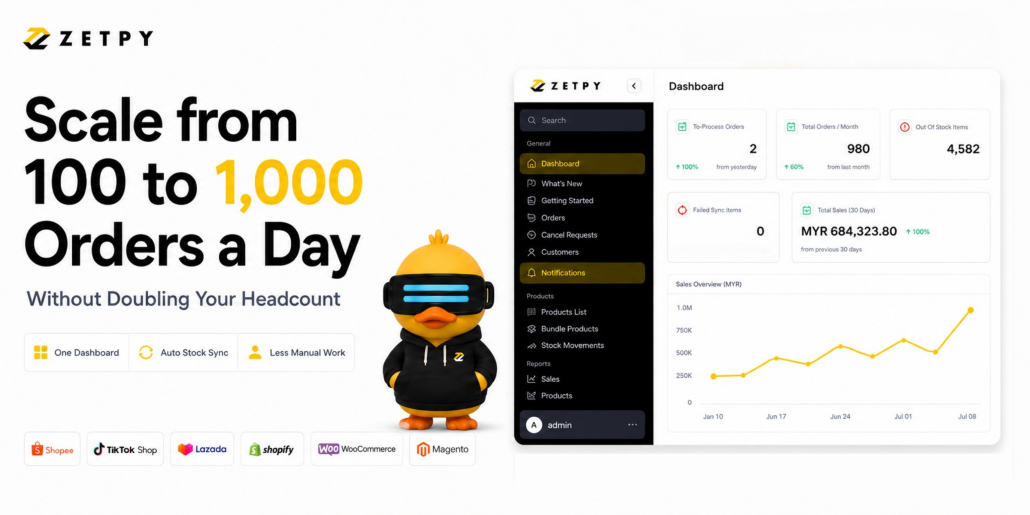
From 100 to 1,000 Orders a Day: How to Scale Your E-Commerce Without Doubling Your Headcount

Every e-commerce business owner dreams of hitting that big milestone: going from 100 orders a day to 1,000 orders a day. It means your brand is winning, your products are in demand, and your revenue is growing.

But as the orders pour in across Shopee, Lazada, and TikTok Shop, a stressful reality sets in. Your operations team is suddenly drowning and burnt out.

The natural reaction for many owners is to hire more staff. You look for more data entry clerks to process orders, more people to check stock levels, and more hands to type customer information.

However, adding more headcount actually makes your business harder to manage. More people means higher chance of human error, higher monthly payroll costs, and more time spent managing staff instead of growing your brand.

The Log-In, Log-Out Nightmare

When you sell on multiple marketplaces, processing all the channel’s orders creates a massive bottleneck. Your team has to log into Shopee, process orders, log out, log into Lazada, repeat the process, and then do it all over again for TikTok Shop.

As you scale up, this manual way of working leads to severe issues:

  • Shipping Delays: It takes hours just to sort through the different dashboards, which slows down your packing and shipping times.

  • Missed Shipping Deadlines: When sales explode on one channel, your team naturally pours all their focus into processing those orders first. Meanwhile, orders coming in on your other channels get neglected, leading to late ship-outs, missed deadlines, and severe marketplace penalty points.

  • The Stock Lag: If your staff is manually updating the stock channel by channel, they cannot update your inventory fast enough, which causes accidental overselling across your stores.

If your team spends three hours a day just copying and pasting data between seller centers, they are not helping you grow. They are just trying to survive the daily chaos.

The Solution: Control Everything From One Screen

True scaling does not require a giant operations team. It requires a central control tower.

To handle 1,000 orders as easily as you handled 100, your team needs to stop jumping between separate platforms. All your incoming orders from every marketplace should flow automatically into a single dashboard. When an order comes in, your total stock count should update everywhere in real-time.

When you automate the repetitive tasks, you get to increase the efficiency of existing team to handle thousands of daily orders without them feeling overwhelmed.

How Zetpy Automatically Powers Your Growth

This is where Zetpy comes in. Zetpy acts as the central brain for your multi-channel online business, bringing all your marketplace data together under one roof.

By linking your sales channels directly with backend tools like Xero for your accounting, Zetpy puts your fulfillment on autopilot:

  1. All Orders on One Dashboard: Your team never needs to log into separate seller centers to pull orders. Every sale from Shopee, Lazada, TikTok Shop, Shopify,Woocommerce and Magento appears on one single screen for lightning-fast processing.

  2. Real-time stock sync: The moment an item sells on one platform, Zetpy automatically lowers the stock number on all your other online stores in real-time.

  3. Seamless Data Flow: Zetpy syncs your multi-channel sales data as Sales Invoice/Sales Order into your POS system ( Xilnex or Zeoniq) or Accounting Software (Autocount, Xero or Quickbooks Online) without any manual data entry.

Scale Smart, Not Hard

You do not need a larger payroll to build a bigger business. By centralizing your operations, you free your current team from boring and repeatitive manual work so they can focus on what actually makes you money: marketing, product development, and customer satisfaction.

Ready to scale your e-commerce business without the staffing headaches? Book a demo with the Zetpy team today to see how easy it is to automate your operations.

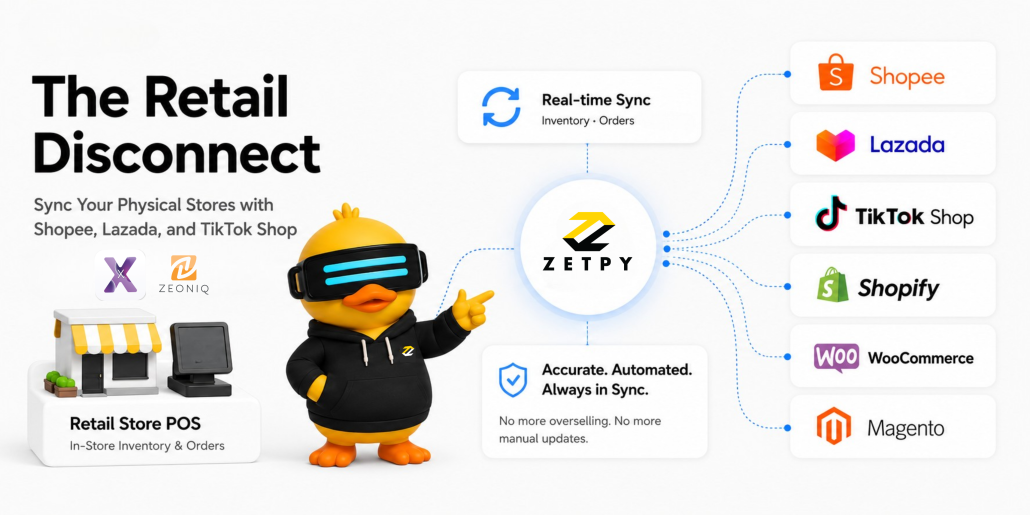
The Retail Disconnect: How to Sync Your Physical Stores with Shopee, Lazada, and TikTok Shop

As a Retail Store owner, expanding online to Shopee, Lazada, TikTok Shop, Shopify, WooCommerce and Magento is one of the best ways to grow your sales. But behind the scenes, running both physical stores and online shops usually creates a major headache: broken inventory numbers.

Picture this: A customer walks into your retail shop at 2:00 PM and buys the very last piece of a popular item. Your staff rings it up at the cash register. But at 2:05 PM, an online customer buys that exact same item on TikTok Shop because your online stock level did not update in time.

Now, you have to cancel the online order, apologize to a disappointed customer, and get penalized by the marketplace.

When your physical stores and your online shops do not talk to each other, you waste time and risk losing the trust of your buyers.

The Trap of Updating Stock by Hand

To keep up, many brands tell their staff to manually change stock numbers using spreadsheets or by logging into separate marketplace dashboards. Usually, this happens only at the end of the day or when the shop is quiet.

But online shopping never stops. Waiting to update your stock by hand creates a dangerous delay that causes real problems:

  • Overselling Penalties: Marketplaces punish you with penalty points or lower visibility if you cancel orders or ship late.

  • Wasted Time: Your team spends hours on boring data entry, copying and pasting sales numbers instead of helping customers or marketing your products.

  • Hard To Track Your Actual Stock Level: When your retail sales and online sales are kept completely separate, you never really know your actual stock levels as sales is constantly happening online.

Growing your business does not mean hiring more staff just to copy and paste data. It means automating the system.

The Solution: Real-Time Syncing

To grow smoothly, your retail POS system and your online stores need to share the exact same information.

Instead of treating your physical outlets and your online stores as separate businesses, you need to combine your inventory. When a sale happens anywhere (whether a customer pays cash at your counter or clicks buy on their phone) your total stock needs to change instantly everywhere.

How Zetpy Solves This Problem

This is exactly why we built Zetpy. Zetpy acts as a bridge that links your physical retail POS software with Southeast Asia’s top online marketplaces.

  1. One Central Stock Control: You only need to update your stock numbers inside your POS software. Those numbers are sync to your Shopee, Lazada, TikTok Shop, Shopify, WooCommerce and Magento in real-time.

  2. Real-Time Updates: The moment an item sells out in your retail store, Zetpy updates your online shops in real-time, no more manually updates and reducing overselling.

  3. All Orders in One Place: All online marketplace orders flow into one screen. Your team can see every single sale without jumping between seller centers, making managing multiple online stores more efficience.

Stop Running Your Business the Hard Way

You do not have to choose between running a successful retail shop and selling successfully online. By bringing everything together, you give your team the time to focus on bringing in more customers, not typing in data.

Ready to connect your physical shops with your online stores? Chat with the Zetpy team today to see how easy it is to automate your stock sync.

Zetpy July 2026 Updates

🚀 New: Zetpy now supports Shopee Direct Shop!

We’ve officially added support for Shopee Direct Shops (Singapore, Philippines, & Thailand) to your Zetpy dashboard! Now included in all plans at no extra cost.

How does it benefits your business?

  1. Seamless Stock Sync: Keep inventory perfectly aligned across all borders.

  2. Unified Order Processing: Manage international orders (SG, PH and TH) alongside local channels.

  3. Real-Time Reporting: Track cross-border performance at local currency (SGD, PHP and THB) with ease.

Learn more about how to start a Shopee Direct Shop here.

📢 Important Lazada Update: Buyer Data Masking (Effective 1 July 2026)

Starting 1 July 2026, Lazada Open Platform will encrypt & mask buyer personal info in order data pulled via its APIs.

What gets masked?
👤 Buyer name
📞 Phone number
📍 Delivery address

Quick Takeaways for Zetpy Users:
No Action Needed: Our engineering team is handling everything on the backend. However, you will notice that new Lazada order records synced to the Zetpy Inventory Platform will reflect this masked format.

🚚 DBS Exception: If you use Delivery by Seller for bulky items, you can apply for an unmasking exemption on the Lazada Open Platform.

This follows the same path Shopee, TikTok Shop and Shopify already took – a broader industry move toward stronger consumer data protection.

Visit our blog for more info

🛒 Zetpy & Shopify: Understanding Your Sync Options

Did you know there are two distinct ways to integrate Shopify with your Zetpy account? Because every business manages their inventory and orders differently, we’ve published a new post to help you understand the core differences between these two setups.

  1. Zetpy’s Shopify Sync: This method uses Zetpy as your command center, allowing you to manage products and marketplace listings independently of your Shopify dashboard. It’s built for those who need a dedicated hub to orchestrate sales and inventory across multiple platforms like Shopee, Lazada, and TikTok Shop simultaneously.

  2. Zetpy’s Shopify As Master: This method treats Shopify as your “single source of truth.” By making Shopify the master, any adjustments you make to your inventory or product details are automatically pushed from your Shopify dashboard out to your connected marketplaces, keeping your current workflow as the primary driver of your operations.

If you’re using Shopify and looking to optimize how your inventory and order syncs between your store and your marketplaces, we’ve broken down everything you need to know in our latest guide.

👉 Read the full post here


🚀 What’s New in Zetpy: June 2026 Updates

We’ve had another productive month refining your multi-channel management experience! From smarter Shopify import controls and enhanced regional expansion for Zalora PH to essential marketplace sync fixes across TikTok, Shopee, WooCommerce, and AutoCount, here is everything we upgraded and fixed in June.

New Features & Major Upgrades

  1. Laravel Framework Upgrade: We upgraded our core system to Laravel v12, bringing better overall performance, tighter security, and faster page loads across Zetpy.

  2. Shopify Import Rules: Added a smarter import rule to filter and pull Active status products only, keeping your catalog clean and avoiding draft clutter.

  3. Zalora PH Region Support: Fully integrated regional support for Zalora Philippines, enabling seamless cross-border catalog management and regional order syncing.

Marketplace Updates & Bug Fixes

  1. Shopee

    1. Direct Shop Authorization Fix: Resolved an authorization stability issue to ensure continuous, uninterrupted marketplace connectivity.

    2. Stock Sync Override Fix: Fixed a bug where inventory updates were still pushing to Shopee even when the stock sync setting was disabled.

    3. Shopee PH Bulk Processing: Resolved an issue in Shopee Philippines where bulk arranging multiple orders would only process a single order.

  2. TikTok Shop

    1. Order Packing List Layout: Improved the print sequence logic when selecting “Separate Packing List by Order” for faster warehouse handling.

    2. Stock Sync Override Fix: Fixed an issue where stock updates continued to push to TikTok Shop even with stock sync turned off.

  3. WooCommerce

    1. Duplicate Item ID Fix: Resolved an issue where product syncs triggered duplicate Item ID conflicts with existing catalog items.

    2. Variation Image Upload Error: Fixed a media permission bug ({“status”:400} when uploading variation images.

  4. PGMall

    1. Packing List Fix: Fixed the order separation process so packing lists split correctly when “Separate Packing list by Order” is enabled.

  5. POS & Accounting Systems (Xilnex & AutoCount)

    1. Xilnex Auto-Import Order Fix: Resolved a bug where specific orders failed to auto-import even when “Auto Import Order” was active.

    2. AutoCount Invoice Customization: Restored missing Remark 4 and detailed shipping information in generated AutoCount invoices.

  6. Order Line Split Fix: Resolved an issue where same sku items were unexpectedly splitting into multiple line items for Lazada orders.

  7. Improvement on Stock Movement report: Stock Movement report now shows the amendment is dome by sub-account user or main account user


Industry News and Trends

  1. [MY] Pinduoduo lands in Malaysia And local vendors are not happy
  2. [SEA] ChatGPT can now suggest your Shopee listing to customers
  3. [MY] TikTok Shop Reduces Commission Fees on Essential Categories
  4. [SG] Shopee reduced Commission Fees for Essential Goods 
  5. [SEA] Your Lazada listing now can appear in Facebook and Instagram.
  6. [INTL] Costco taps AI to boost e-commerce, drives triple-digit traffic growth


💬 What Our Customers Say