TikTok Shop Raises Commission Fees: What It Means for Sellers & How Zetpy Helps

TikTok Shop Commission Announcement

TikTok Shop has announced that effective from 13 September 2025, commission rates for sellers will be revised. Here’s what you need to know:


What’s Changing?

Starting 13 September 2025, TikTok Shop will increase commission fees:

– Marketplace sellers: up to 15.66%

– Mall sellers: up to 18.90%


What This Means for Sellers

Higher fees impact your profit margins – especially if you’re selling low-margin or fast-moving items. Tax, fulfilment, and advertising costs still add up on top of these commissions.


Smart Strategies for Mitigating TikTok Fees

1. Focus on High-Margin Products

Consider selling bundles, premium items, or complementary products using Zetpy’s Bundle feature — these often sell better and carry healthier margins that can help absorb platform fee changes.

2. Join Benefits Programs (like BXP)

Sellers in TikTok’s Benefit Extra Program (BXP) may enjoy lower rates.
Plus perks like vouchers and cashback to support growth.

3. Streamline Operations with Zetpy

Use tools like stock & order sync in Zetpy to process order under 1 platform and reduce overselling. Zetpy Multichat also enables you to handle chats from TikTok Shop, Shopee, Lazada, WhatsApp, Instagram, Facebook Messenger, Meta Business Suite and Telegram under one place. Faster response = higher change to converting enquires to sales.

4. Leverage Creator & Affiliate Marketing

Drive sales volume through affiliates and creators. While you share commissions, this strategy can multiply reach and help offset TikTok’s increased fees.


Zetpy Helps You Stay Ahead

At Zetpy, we’ve seen how operational efficiency makes a big difference – especially
when fees rise. Our platform helps you:

– Sync stock & orders seamlessly across Shopee, Lazada, TikTok, Shopify, WooCommerce, and more. It helps to reducing overselling and increase customer confidence as well as customer retention.

– Manage all chats in one place with Zetpy Multichat – handle messages from every marketplace and social channel in one inbox. Faster responses mean higher chances of converting enquiries into sales.

– Access Zetpy Sales & Product Reports for real-time insights into your best-selling products and channels. No more manual reporting – spend time more on business strategic planning instead.


Final Thoughts

Yes, TikTok fees are rising – but it’s how you adapt that matters. By streamlining operations and using tools like Zetpy, you can stay efficient, protect your business, and keep growing.

For more info, please visit TikTok’s article here.

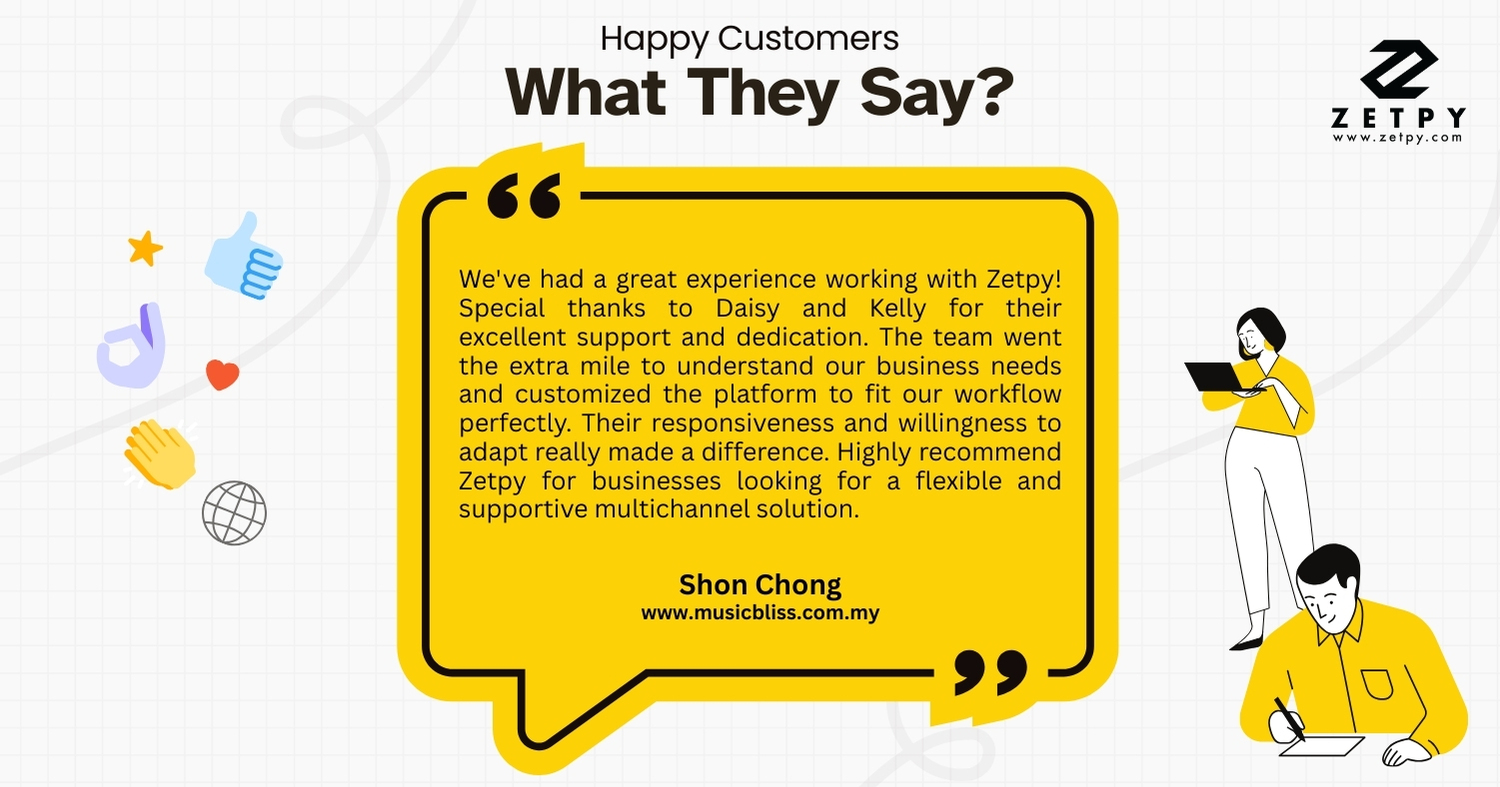
What Our Customers Say: Musicbliss.com.my

We’re so grateful to receive this amazing feedback from Shon Chong 💙


“We’ve had a great experience working with Zetpy! Special thanks to Daisy and Kelly for their excellent support and dedication. The team went the extra mile to understand our business needs and customized the platform to fit our workflow perfectly. Their responsiveness and willingness to adapt really made a difference. Highly recommend Zetpy for businesses looking for a flexible and supportive multichannel solution.”
At Zetpy, we are committed to being more than just a tool – we’re a partner who listens, adapts, and supports your business journey.
👉 Ready to experience Zetpy for yourself? Book a Demo now: https://zetpy.youcanbook.me

Should you have any questions, please feel free to contact our customer support team 

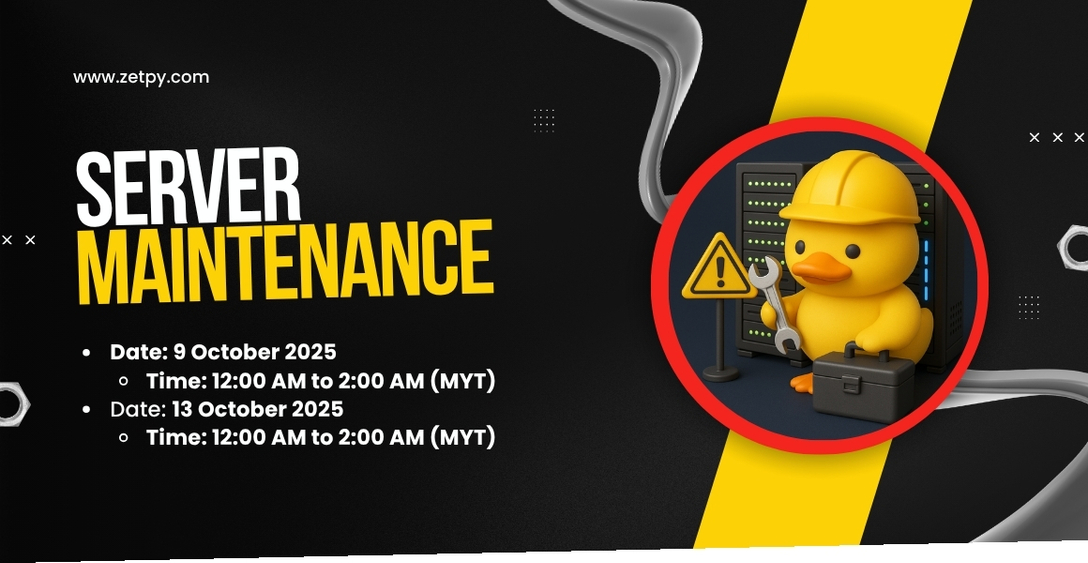
Zetpy Scheduled Maintenance for upcoming 9/9 Sales

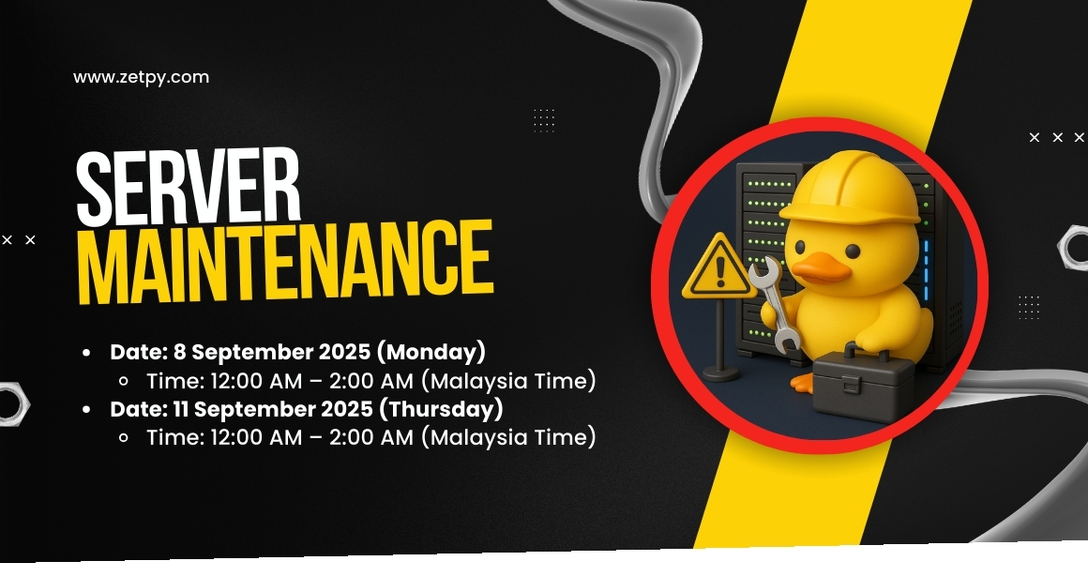
🚧 Scheduled Server Maintenance for 9.9 Sales 🚧

Dear Valued Users,

We will be performing scheduled server maintenance in preparation for the upcoming 9.9 sales to ensure the stability and performance of our services. Please take note of the following details:


🛠️ Maintenance Schedule

  • Date: 8 September 2025 (Monday)
    Time: 12:00 AM – 2:00 AM (Malaysia Time)

  • Date: 11 September 2025 (Thursday)
    Time: 12:00 AM – 2:00 AM (Malaysia Time)


🎯 Purpose of Maintenance

  • Immediate resolution of critical issues affecting service performance.

  • Essential updates to enhance security and platform stability.


⚠️ During the Maintenance

  • Temporary service unavailability may occur.

  • Please avoid editing product details or updating stock starting from 8:00 PM on 7 September and 10 September 2025 until the maintenance period ends.

  • Save any ongoing work before the scheduled downtime.


For updates or further assistance, please contact our support team at support@zetpy.com.

We appreciate your understanding and cooperation in ensuring a smooth experience for the 9.9 sales. 💙

Faster, Easier: Self-Service Product Reimport is Now Available in Zetpy

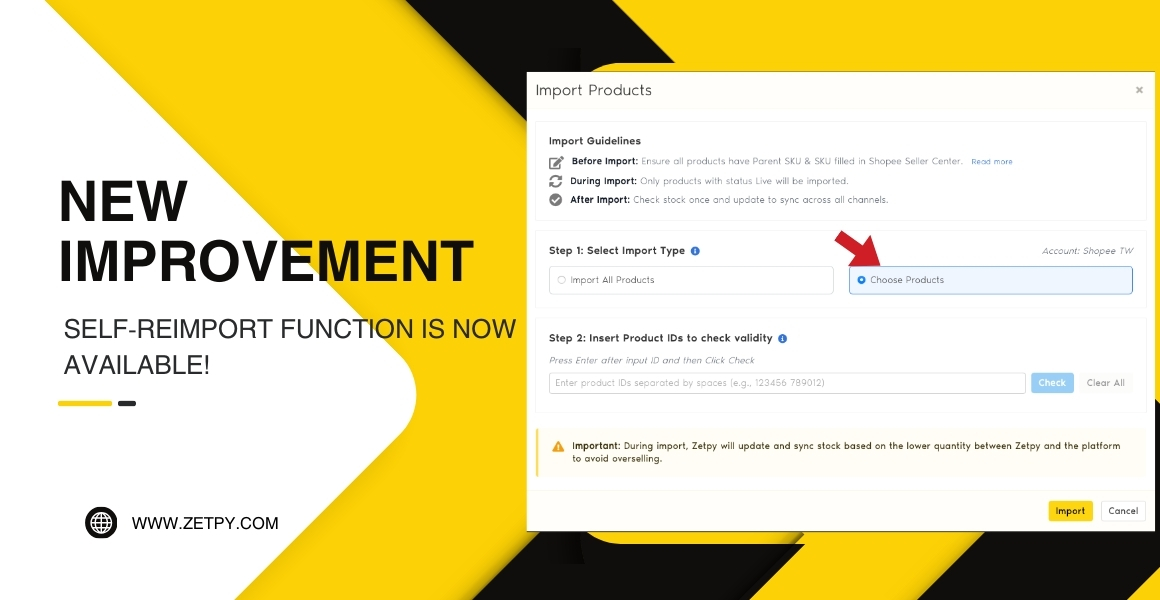
✨ Faster, Easier: Self Product Reimport Function is Now Available in Zetpy

Running an online business means product details can change often – whether it’s updating SKUs, adding new variants, or cleaning up listings. In the past, if you needed to reimport product data from TikTok Shop, Shopee, Lazada, WooCommerce or Shopify,  you had to contact the Zetpy Support Team to help with that specific listing, or conduct a mass import.

That process worked, but it wasn’t always the fastest.

Now, things just got a whole lot easier. 🚀


✅ What’s New?

With our latest improvement, you can now import a single listing or reimport a specific product listings after amending in your Seller Center – without needing support assistance.

This means:

– No more waiting for the Support Team to handle your reimport requests.

– No more delays in updating specific listings or doing bulk reimports.

– You’re in full control – make changes and sync instantly.


📌 When Do You Need to Reimport?

Reimporting is useful whenever:

– You’ve added new variants in your Seller Center/Online Store (e.g., a new color or size).

– You’ve edited variant details, like SKUs in your Seller Center/Online Store.

– You’ve removed variants from your marketplace listing.

– You’ve created new products directly on your marketplace or store, without Zetpy.


🙌 Why This Matters

Previously, every reimport request meant conducting a mass import or contacting our Support Team. While we were always happy to help, it slowed down your workflow – especially if you needed quick changes to stay in sync across multiple channels.

Now, with self-service reimport, you can:

– Save time with instant updates.

– Keep product data accurate across channels.

– Reduce overselling and errors without waiting on support.

Our Customer Success Team is still here for you 💙 — but now you won’t need us for every reimport or mass update.


🚀 Get Started

Try it out today → follow this guide:
👉 How to Reimport Product From Marketplaces and Online Store to Zetpy


This new improvement is all about empowering you to work faster and smarter. By letting you manage reimports directly, Zetpy helps you keep selling without delays.

Stay tuned – more improvements are coming to make multichannel selling even smoother.

Should you have any questions, please feel free to contact our customer support team 

Easily Fix Lazada Variation Name with Zetpy

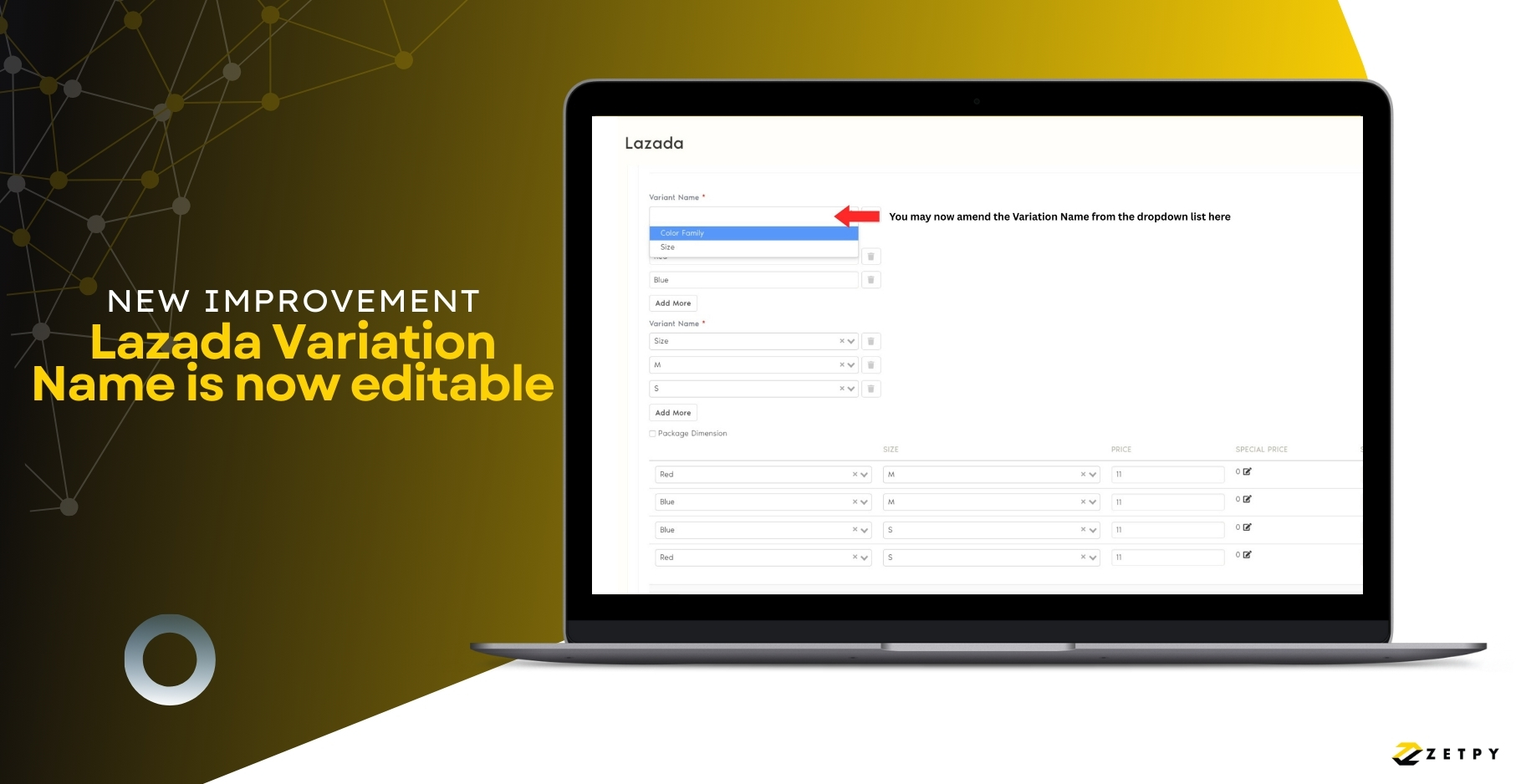
Easily Fix Lazada Variation Attributes with Zetpy

Managing product variations on Lazada just got easier! Lazada has recently enhanced how sellers can handle variation attributes on their platform via API, and Zetpy has updated our Lazada Plugin to fully support this improvement. 🚀

🔎 The Challenge Before

Previously, once you added variation attributes into Lazada, you weren’t able to edit them afterwards. This caused error if attributes didn’t match exactly between your Zetpy Lazada Plugin and Lazada Seller Center.

   – Example: In some category, you might be using “Color” in Zetpy, while Lazada requires “Color Family”.

   – In those cases, an error would appear, and the only solution was to restart the listing process.

✅ The New Improvement

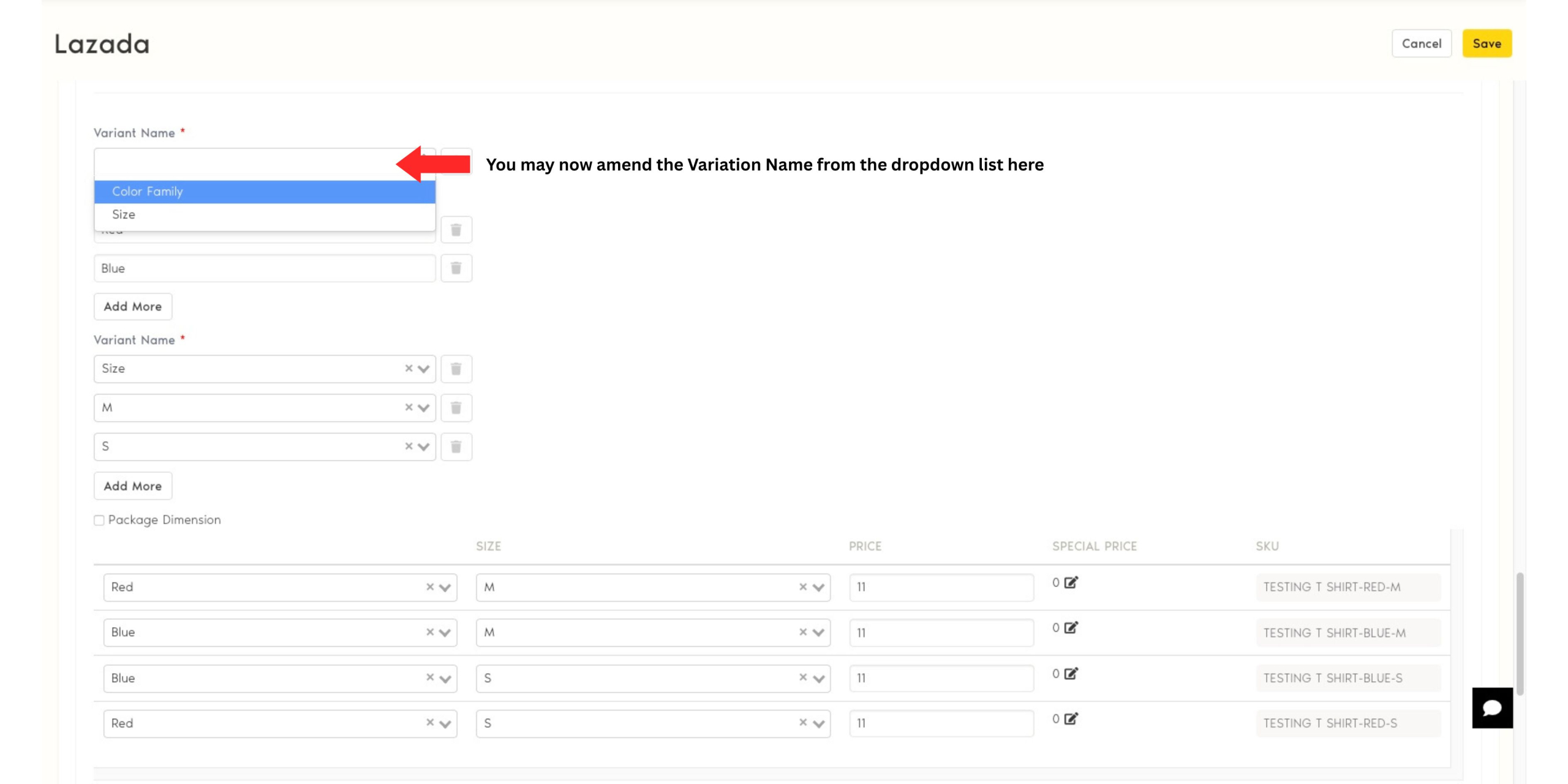
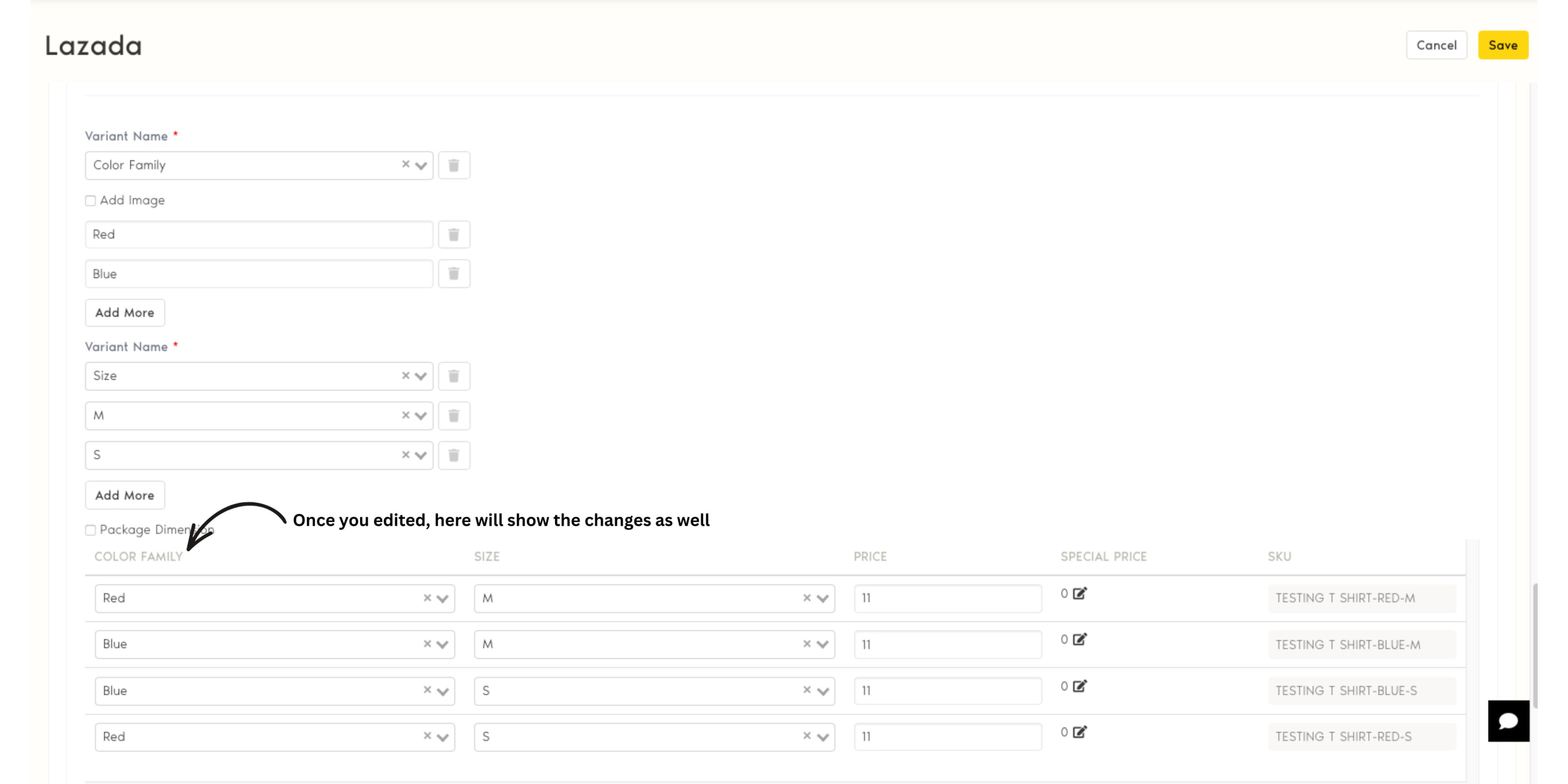
With this new Zetpy’s Lazada plugin enhancement – you now have the flexibility to edit variation attributes after saving or during the adding process.

That means if you encounter the error mentioned above, you can quickly adjust the attribute with the Dropdown list (example, change “Color” to “Color Family”) without having to start over.

💡 What This Means for You

This improvement gives sellers:

  • More flexibility → fix variation attributes anytime

  • Less hassle → no need to delete and re-add products

  • Faster syncing → smoother, error-free product listings on Lazada

What’s Next:

Try it out if you encountered the error mentioned in Lazada plugin today! Should you encounter further issue, feel free to contact us at support@zetpy.com

At Zetpy, we continuously update our integrations to keep up with platform changes, so you can focus on selling while we handle the technical details.

Boost Your Sales with TikTok Shop Sales Accelerator

📈 TikTok Shop’s New Sales Accelerator – How Zetpy Sellers Can Use It to Increase Sales

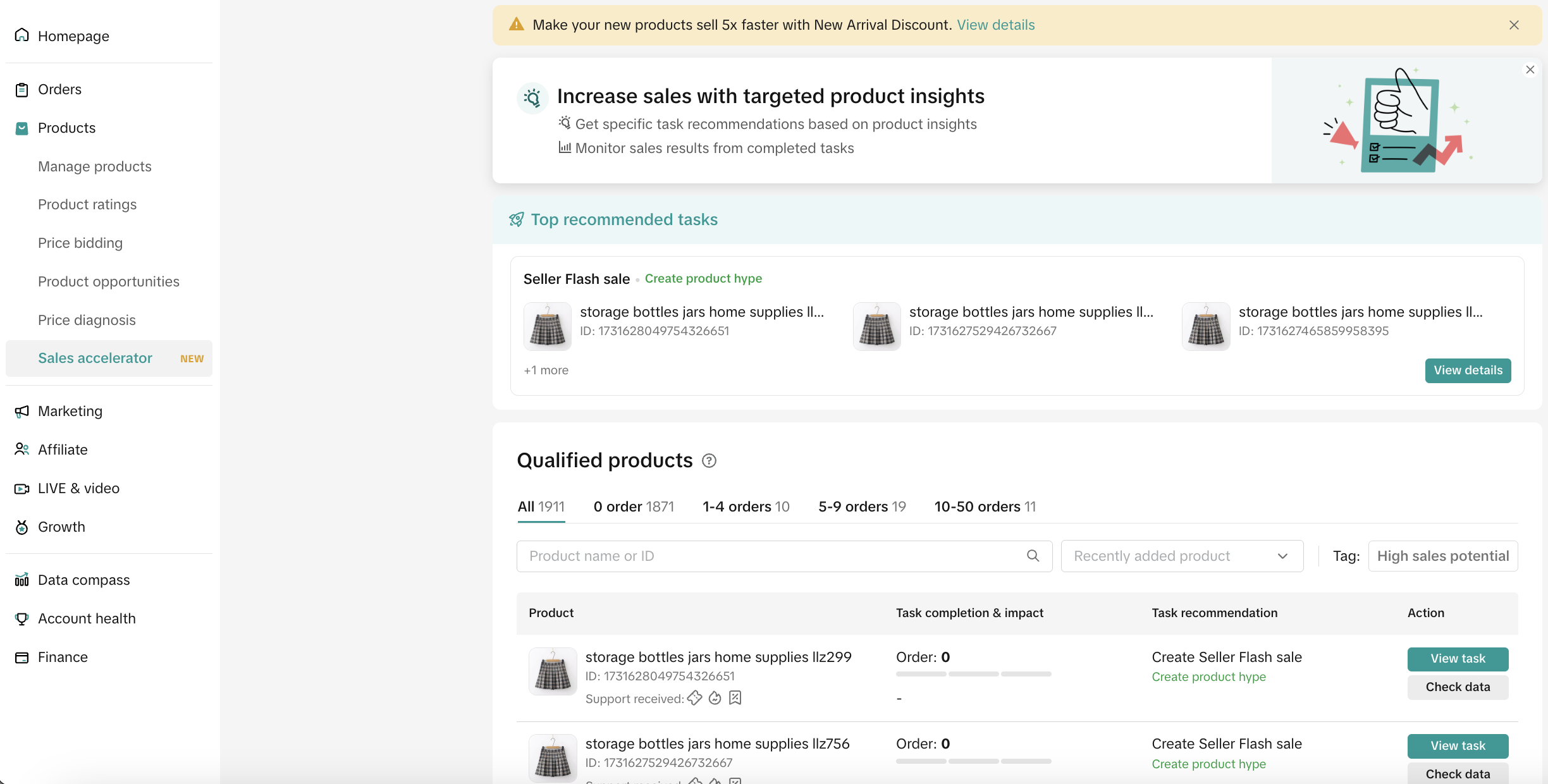
TikTok Shop has rolled out a powerful tool in Seller Center called Sales Accelerator. It is designed to help sellers records and analyze their  high-potential products and provide insights and suggest the next actions to increase their orders.

If you’re a Zetpy user selling on TikTok Shop, this is a golden opportunity to combine Zetpy’s automation with TikTok’s sales growth recommendations to boost your performance.


🚪 How to Access It

In TikTok Shop Seller Center, go to:
Products > Sales Accelerator

You’ll see:

– Top Recommended Tasks – for your most promising products.

– Qualified Products list – items that can be boosted with targeted actions.

– Performance Tracking – see the results after completing tasks.487f8643ca024622a280f828007da29a~tplv-nk3i2mqmvs-image.png


🔥 Why It’s a Big Deal for TikTok Sellers

– Prioritises high-potential products so you focus on what matters.

– Actionable tasks instead of guesswork.

– Data-backed results so you can see the direct impact.


🎯 Key Features of TikTok’s Sales Accelerator

1. Top Recommended Task

Pinpoints products with strong sales potential and suggests actions like Flash Sales or short product videos.

2. Qualified Products

Products must meet these requirements:

– At least 5 units in stock.

– Minimum 3 images.

– Fewer than 50 orders.

– Not unsold for over 180 days.

3. Order Milestones with Tailored Tasks

Orders TikTok’s Suggested Growth Actions
0 orders Launch Flash Sales or New Arrival Discounts to attract first buyers.
1 to 4 orders Build trust with short videos & reviews.
5 to 9 orders Collect more reviews, and reach out to customers.
10 to 50 orders Scale further with LIVE streaming, ads, and extra video content.

📊 How to Take Action and Measure Impact

  1. Click View Task for the product you want to grow.

  2. Complete the suggested action (e.g., set up a discount, upload a video).

  3. Check results via Check Data – see changes in orders, page views, and GMV.


💡 Zetpy’s Recommendation

For Zetpy sellers on TikTok Shop:

– Keep your inventory synced across channels via Zetpy to avoid stock-outs.

Use TikTok’s Sales Accelerator tasks to actively grow your best products.

Focus first on products with 1 to 9 orders for faster wins before scaling others.

With Zetpy automation handling stock, orders, and product updates, you’ll have more time to follow TikTok’s action plan and push your store to the next level.

Want to know more on how we can help you? Book a Demo to find our more now!

Read more on TikTok Shop Seller Accelerator here.

Lazada Marketplace Commission Rate Adjustment(Effective 18th July 2025)

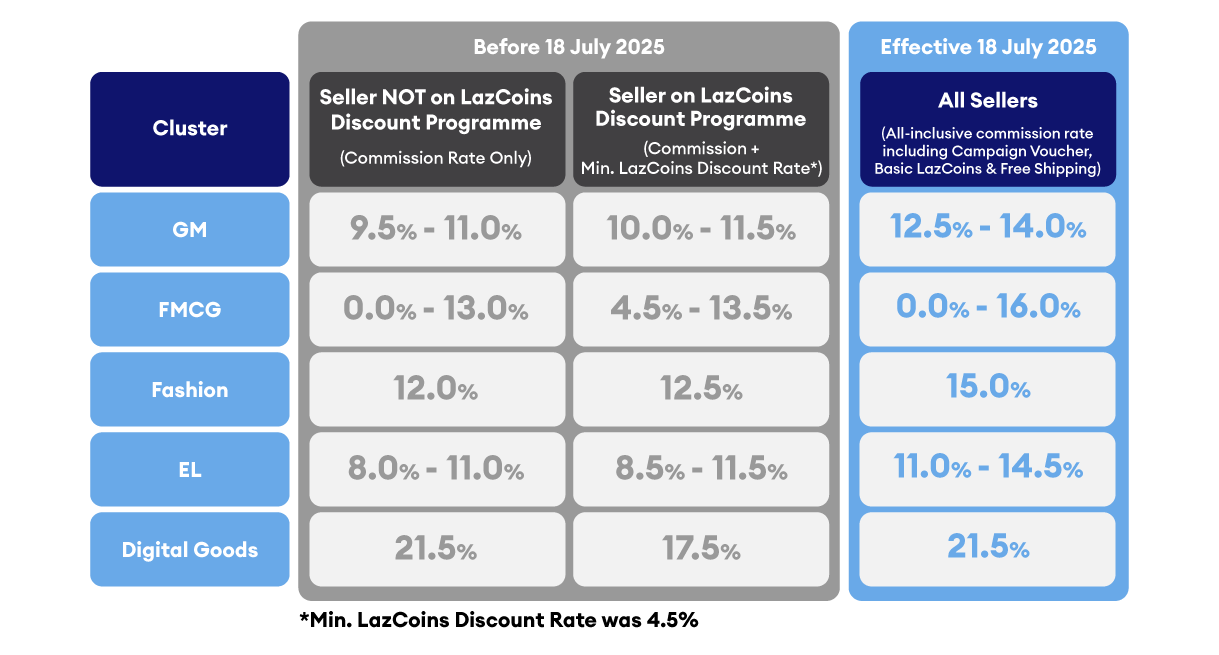
Lazada Malaysia has announced an update to its Marketplace Commission Rates, effective 18 July 2025. This change applies to all Marketplace sellers and introduces a revised, category-based commission structure.

🔑 What’s Changing?

✔️ Revised Commission Rates by Category
Starting 18 July 2025, Lazada will apply all-inclusive commission rates that cover:

– Commission fee

– Basic LazCoins discount program

– Campaign vouchers

– Free shipping contributions

– The commission rates will vary by product cluster

✔️ Commission-Free Period for New Sellers

All new Marketplace sellers will continue to enjoy a 120-day commission-free period when selling on Lazada.
From Day 121 onwards, the standard commission rates will apply.


✔️ SST Applies

All commission fees are subject to 8% SST, in line with Malaysia’s tax regulation (effective since 1 March 2024).


📊 New Commission Rates by Cluster


🧾 How the Commission Fee is Calculated


✅ What Sellers Can Do to Prepare

  • Review your pricing strategy and update if adjustment needed:
    Reassess your product pricing to ensure your profit margins remain healthy after the new commission rates take effect. Utilize our Bulk Price Update feature to mass update your pricing in one go to save time.

  • Plan upcoming promotions carefully:
    With the all-inclusive commission, consider how additional discounts or vouchers will impact your margins.

  • Monitor your seller journey:
    If you’re a new seller, take full advantage of the first 120 days commission-free period to build momentum before the fees apply.

  • Track your category rates:
    Different categories have different commission brackets—keep track of where your products fall.

  • Stay informed:
    Lazada may continue updating platform features. Regularly check the Seller Center for the latest announcements.

For more info, please visit here.

Zetpy Bulk Update Tool Supports Shopee, Lazada & TikTok Shop – Stay Compliant with CPETTR 2024

The Consumer Protection (Electronic Trade Transactions) Regulations 2024 (CPETTR 2024) by the Ministry of Domestic Trade and Cost of Living (KPDN) aims to strengthen online consumer protection. It applies to all online sellers in Malaysia, including those on Shopee, Lazada, TikTok Shop, and more.

Originally set for enforcement on 24 June 2025, CPETTR requires:

  • ✅ Disclosure of seller information

  • Product titles and descriptions in Bahasa Melayu

  • ✅ Submission of valid product certifications


[Update] Malay Language Requirement Temporarily Paused

As of 23 June 2025, KPDN has paused the enforcement of the Bahasa Melayu requirement for product listings across all e-commerce platforms.

According to Malay Mail, the ministry will now:

– Gather feedback from platform operators and sellers

– Reevaluate how the policy should be implemented

– Announce a revised timeline after consultations


Zetpy still encourages all sellers to begin preparations early while awaiting the next announcement.


Introducing Zetpy’s Bulk Update Tool – Now Live for Shopee, Lazada & TikTok Shop!

To help sellers stay compliant efficiently, Zetpy has rolled out a Bulk Update Tool that lets you quickly edit product titles and descriptions in Bahasa Melayu across multiple platforms. You may refer to the guide below on how to ultilize them in repective platforms.

Tiktok Shop

Shopee

Lazada

Why You Should Still Act Now

Even with the BM listing requirement on hold, it’s wise to prepare early:

– Be ready once enforcement resumes

– Save time by completing bulk updates now

– Avoid last-minute rush or non-compliance risks

Zetpy’s Bulk Update Tool is the fastest way to manage large inventories across multiple platforms.


What You Can Do Now

  1. Export your listings from Shopee, Lazada, and TikTok Shop via Zetpy

  2. Fill in the product name and details fields while the update window is flexible

  3. Stay tuned for further announcements from KPDN


Zetpy – Focus on selling, we’ll help with the compliance bit..

If you need assistance or want to learn how to use the Bulk Update tool, feel free to contact us via email at support@zetpy.com

LAZADA D11 Campaign Downgrade Plan


Dear Zetpy Users, Lazada will temporarily disable some of their API features in order to ensure their platform stability during Lazada 11.11 sales.


  1. The features below in Zetpy’s Lazada Plugin will be temporarily disabled as well

a) SG/MY(UTC+8)

i. 2024-11-10 19:30:00 ~ 2024-11-10 20:30:00

ii. 2024-11-10 23:30:00 ~ 2024-11-11 00:30:00


b) PH(UTC+8)

i. 2024-11-08 19:30:00 ~ 2024-11-08 20:30:00

ii. 2024-11-10 19:30:00 ~ 2024-11-10 20:30:00

iii. 2024-11-10 23:30:00 ~ 2024-11-11 00:30:00


c)  TH(UTC+8)

i. 2024-11-08 20:00:00 ~ 2024-11-08 21:30:00

ii. 2024-11-10 20:00:00 ~ 2024-11-10 21:30:00

iii. 2024-11-11 00:00:00 ~ 2024-11-11 01:30:00


d) VN/ID(UTC+8)

i. 2024-11-10 20:00:00 ~ 2024-11-10 21:30:00

ii. 2024-11-11 00:00:00 ~ 2024-11-11 01:30:00


a) Pricing Update
b) Stock Update
c) Creating new Products and upload image
d) Editing product details and image
e) Removing Products


  1. Creating Global product will also be disabled from:

i. 2024-11-08 19:30:00 – 2024-11-08 21:30:00 (UTC+8)

ii. 2024-11-10 19:30:00 – 2024-11-10 21:30:00 (UTC+8)

iii. 2024-11-10 23:30:00 – 2024-11-11 01:30:00 (UTC+8)


  1. Brand related Feature will also be disabled from 2024-11-07 00:00:00 ~ 2024-11-12 00:00:00 (UTC+8)
  • Brand registrations approved during this period will only appear after the end of the downgrade period.


Please DO NOT conduct Bulk Stock Update and Bulk Price Update on these 2 days in Zetpy to prevent any unforeseen inconveniences.

i. For PH and TH Users, 2024-11-08, 7.30pm (GMT+8) [Friday] until 2024-11-08 9.30pm (GMT+8) [Friday]

ii. For all Zetpy Users, 2024-11-10, 6.00 pm (GMT+8) [Sunday] until 2024-11-11, 1.30 am (GMT+8) [Monday]


For more information, Please visit here