Prevent Interrupted Sync: Reauthorize Your Marketplace Accounts Before the 9.9 Sale
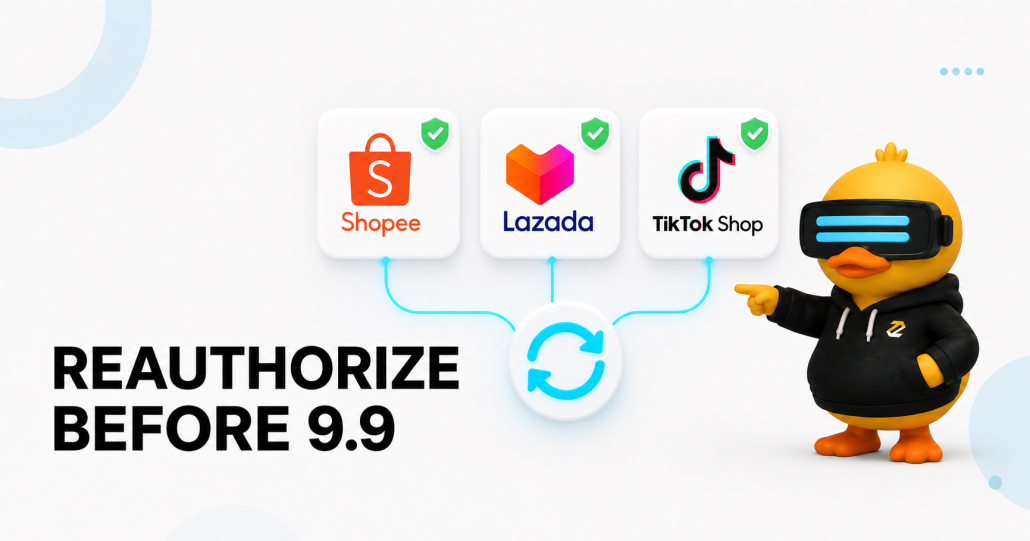
The 9.9 sale can bring a sharp increase in orders across Shopee, Lazada, TikTok Shop, and other online sales channels.
Most sellers prepare their promotions, inventory, advertising, and fulfilment plans before the campaign. However, there is another important task that should be included in your checklist: checking the authorization status of every marketplace account connected to Zetpy.
Marketplace authorization can expire from time to time. Zetpy advises users to reauthorize their accounts before the expiry date so syncing between Zetpy and the marketplace can continue.
Completing this task before 9 September and major sales day gives your team time to confirm that orders and inventory are still moving through the expected workflow.
What Is Marketplace Reauthorization?
When you connect a marketplace seller account to Zetpy, you authorize Zetpy to exchange supported information with that marketplace.
Depending on your Zetpy setup and connected channels, this may include:
- Products
- Inventory quantities
- Marketplace orders
- Order statuses
- Related sales information
Marketplace authorization does not always remain active permanently. This is due that marketplace authorization may expire due to security reason based on the platform requirements. We recommends renewing it before the expiry date to continue marketplace syncing.
Check out Zetpy’s official reauthorization guide for the correct steps to reauthorize the online marketplace
Why Reauthorization Matters Before 9.9
An expired authorization can interrupt the connection between Zetpy and the affected marketplace account.
During a normal sales period, your team may have more time to identify and investigate a connection issue. During a major campaign, orders can arrive much more quickly. This can make even a short interruption harder to manage.
Here are some of the operational risks sellers should consider.
Inventory updates may be interrupted
Zetpy supports centralized inventory control across connected sales channels. As orders are received, Zetpy can update inventory across those channels.
If the authorization for a marketplace account has expired, the affected connection may not continue syncing as expected. This could increase the risk of overselling if it is not detected quickly.
Marketplace orders may not enter the normal workflow
Zetpy allows sellers to view orders from multiple supported sales channels in one control panel.
If an account connection is interrupted, your team may need to check the marketplace Seller Center one by one until the connection is restored. This adds another layer of manual work during a busy campaign.
Order processing may be delayed
When marketplace orders do not enter your normal workflow, your team may take longer to identify and process them.
The risk of late shipment or missed out shipping deadlines becomes more high when campaign orders arrive across several marketplace accounts at the same time.
Connected business systems may receive incomplete data
Zetpy supports integrations with selected POS and accounting systems. Zetpy’s supports syncing orders from supported online channels into Xero, QuickBooks, AutoCount, Xilnex and Zeoniq depending on the integration and configuration.
An interrupted marketplace connection could affect the flow of information into these downstream workflows. Sellers should therefore test the complete process used by their business, not only the connection status.
Which Marketplace Accounts Should You Check?
The current Zetpy reauthorization guide includes instructions for:
- Shopee
- Lazada
- TikTok Shop
Check every seller account connected under these marketplace plugins.
If your business manages multiple shops, review each account separately. One successfully authorized shop does not confirm that every other marketplace account is active.
For other Zetpy-supported channels, check the status inside your account setting page or contact Zetpy Support if you receive an authorization warning.
How to Reauthorize Your Marketplace Account in Zetpy
Zetpy has published an official guide with instructions and screenshots for Shopee, Lazada, and TikTok Shop.
Follow the complete guide here: How to Reauthorize Your Marketplace Account in Zetpy.
The general process is:
- Open the relevant Shopee, Lazada, or TikTok Shop plugin in Zetpy.
- Select Edit Accounts.
- Select Edit for the account that requires reauthorization.
- Confirm that the email address matches the correct marketplace account.
- Save the account details.
- Complete the authorization process on the marketplace platform.
- Return to Zetpy and confirm that a green tick appears beside the account.
The login requirements differ by marketplace. Follow the platform-specific instructions in the Zetpy guide carefully.
For example, the guide contains an important Shopee instruction not to use a Main or Sub Account to log in during reauthorization. TikTok Shop users must also select the correct account type for their region before completing the authorization.
If the marketplace authorization page does not open, check whether your browser is blocking pop-ups. Zetpy’s official guide includes additional help for this issue.
Test the Connection After Reauthorization
A green tick confirms that the account was successfully reauthorized. You should still test the operational workflow before the campaign begins.
Complete the following checks:
- Confirm that recent marketplace orders appear in Zetpy.
- Compare inventory quantities for several active SKUs.
- Review your fast-selling 9.9 campaign products.
- Check whether inventory changes reach the intended sales channels.
- Review any warnings or failed sync records.
- Test connected POS or accounting workflows where applicable.
Do Not Wait Until 9 September
Complete reauthorization and testing several days before the 9.9 sale.
Preparing early gives your team time to:
- Correct marketplace login problems
- Investigate inventory differences
- Check and review if any error appeared
- Contact Zetpy Support if there is any issue
Leaving reauthorization until the campaign starts could create unnecessary pressure for your operations team.
Monitor Your Connections During the Campaign
Reauthorization is part of campaign preparation, but your team should continue monitoring the workflow during the sale.
Assign a team member to:
- Check that new marketplace orders are appearing in Zetpy
- Review inventory for selected high-volume SKUs
- Watch for connection or sync warnings
- Report unusual order or inventory behaviour
This gives your business an additional layer of operational visibility during a busy sales period.
How Zetpy Supports Multichannel Sellers
Zetpy provides a central platform for managing products, inventory, and orders across supported marketplaces and webstores.
Current Zetpy pages list integrations with marketplaces including Shopee, Lazada, TikTok Shop, Zalora, and PGMall. Zetpy also supports shopping carts such as Shopify, WooCommerce, and Magento, together with selected POS and accounting integrations. Available channels and features may vary by country, plugin, and business configuration. View Zetpy’s current integration partners.
With an active and correctly configured connection, Zetpy can help sellers:
- Manage products and inventory across supported channels
- View multichannel orders in one control panel
- Reduce repetitive inventory updates
- Manage product variations
- Connect marketplace operations with supported POS and accounting systems
- Maintain clearer visibility across multiple sales channels
These capabilities become especially useful during major campaigns, when teams need to manage a larger number of orders across several stores. Learn more from Zetpy’s Product Tour.
Want to simplify your multichannel operations with Zetpy?
Book a free demo with the Zetpy team to explore centralized marketplace order and inventory management.