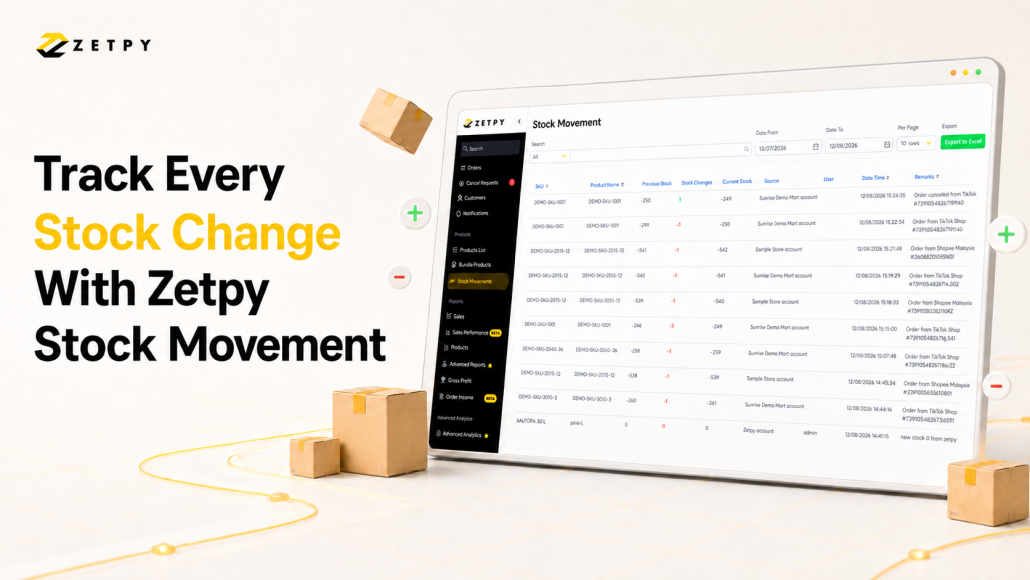
Managing inventory is not only about knowing how much stock you have now. You also need to understand how your stock reached that number.
Why did the quantity decrease? Was it caused by an order or a manual adjustment? Who made the change, and when did it happen?
Zetpy’s Stock Movement feature gives your team a clearer record of inventory changes. You can review stock movements, search for specific records, filter them by date, and export the results to Excel for further checking.
Why Should Sellers Track Stock Movement?
Your current stock balance tells you how many units are available, but it does not explain why the quantity changed.
Tracking stock movement gives you the context behind each increase or decrease. This is especially useful when you sell through multiple marketplaces or have several team members managing the same inventory.
Here are some of the main reasons sellers should track their stock movements.
Find stock discrepancies faster
When your system quantity does not match your physical stock, movement records give you a starting point for investigation.
You can review when the quantity changed, how many units were added or deducted, and which user made an adjustment.
Monitor manual stock adjustments
When staff add or remove stock in Zetpy, the movement history records the change and the user involved.
This gives managers better visibility into inventory updates made by different team members.
Improve replenishment planning
Stock movement records can help you identify products that move frequently.
While movement history is not a complete demand forecast, it provides useful information when reviewing stock activity and planning your next replenishment.
Improve team accountability
A shared movement history gives team members one place to check what happened.
This reduces the need to depend on memory, messages, or manually maintained notes when investigating an inventory issue.
Benefits of an Automated Stock Movement Record
Manually recording every inventory change in a spreadsheet can take time. It is also easy to miss an entry, enter the wrong quantity, or forget who made an adjustment.
Zetpy creates a movement record when supported stock activity is captured in the platform. This can include manual quantity adjustments and stock deductions from marketplace orders that sync back to Zetpy.
An automatically recorded stock history provides several practical benefits.
No manual record-keeping
Your team does not need to create a separate spreadsheet entry for every supported stock change recorded in Zetpy.
This reduces repetitive administrative work and gives your staff more time to focus on order processing, stock counts, and fulfilment.
No missing or incomplete records
Manual logs depend on someone remembering to update them.
An automatically generated history provides a more consistent record of the stock activity captured by Zetpy.
Faster inventory investigations
When a quantity looks incorrect, your team can search the movement history instead of checking multiple spreadsheets, order pages, and team messages.
You can narrow down the records using an SKU, product name, order number, remark, or date range.
Clearer inventory visibility
Each movement shows the previous stock quantity, the amount added or deducted, and the resulting current quantity.
This makes it easier to understand the sequence of inventory changes instead of seeing only the latest balance.
Easier team collaboration
Warehouse, e-commerce, and operations teams can refer to the same stock movement history when discussing a discrepancy.
The records can also be exported to Excel for internal review or sharing.
Better control as your business grows
The more products, orders, sales channels, and team members you manage, the harder it becomes to track inventory changes manually.
An automated record helps you maintain visibility without creating another manual task for every movement.
How to Check Stock Movement History in Zetpy
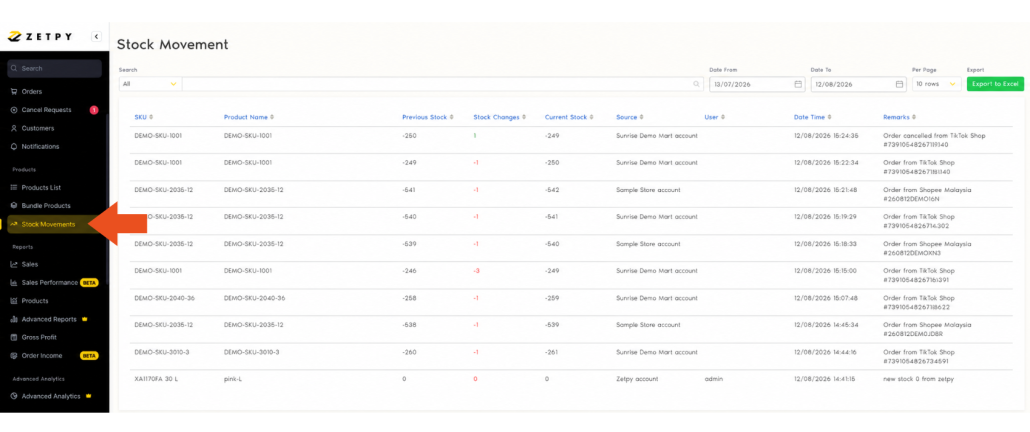
Follow these steps to access your inventory movement records:
- Log in to your Zetpy account.
- Go to Products.
- Select Stock Movements.
The page displays up to three months of stock movement history.
Search by SKU, Product Name, or Order Number
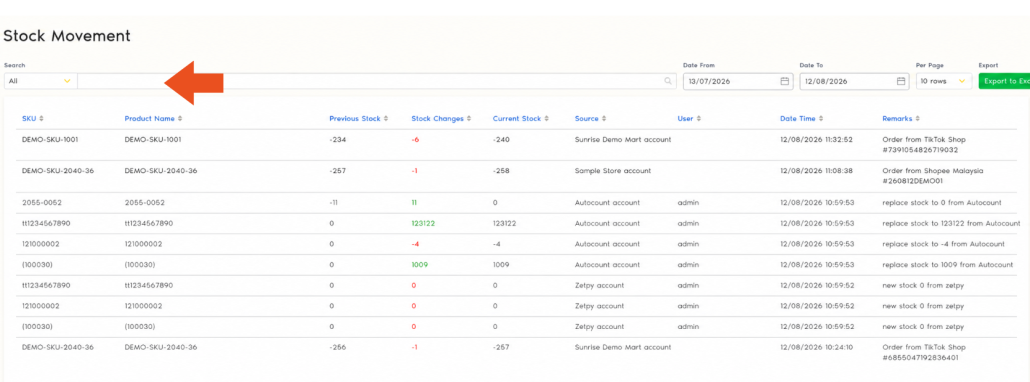
Finding one inventory change among many products can take time. Stock Movement History provides search options to help you narrow down the records.
You can search using details such as:
- SKU
- Product name
- Order number
- Remarks
Searching by SKU is useful when several products have similar names. It takes you directly to the movement records for a specific product or variation.
Searching by order number is helpful when you need to check whether a marketplace order resulted in a stock deduction. This makes it easier to connect an inventory movement with the transaction that caused it.
Filter Stock Movements by Date

You can filter stock movement records using a start date and end date.
This is useful when investigating a stock issue within a specific period. For example, you may want to review inventory changes after a stock count, during a sales campaign, or on the date your team noticed a discrepancy.
Keep in mind that the available results cover a maximum period of three months.
See Who Adjusted the Stock
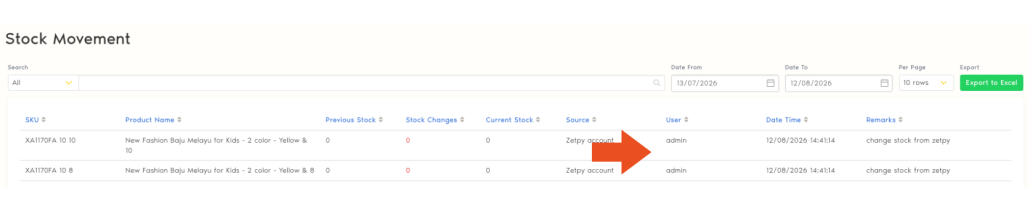
When several people manage the same inventory, it can be difficult to determine who made a manual adjustment.
Zetpy’s stock movement records include the user who adjusted the stock. This gives managers and operations teams better visibility when reviewing inventory activity.
For example, if a product quantity increases unexpectedly, you can check the movement record and speak with the relevant team member for more information.
Export Stock Movement Records to Excel

Zetpy allows you to export stock movement details to an Excel file.
An Excel export can be useful when you need to:
- Review inventory movements offline
- Share records with your warehouse or operations team
- Investigate stock discrepancies
- Keep supporting records for internal reporting
- Sort or organise movement data for further analysis
To create a more focused file, search for the relevant product or order and apply the required date filter before exporting the results.
Improve Inventory Visibility With Zetpy
Inventory problems are easier to investigate when you have a clear record of what changed.
Zetpy’s Stock Movement feature helps your team review inventory movements, search for specific products or orders, identify stock adjustments, and export records for further analysis.
Instead of relying only on the current stock balance, you gain more context about the activity behind that number.
Stock Movement History should complement your regular physical stock counts and internal record-keeping processes. It does not replace your company’s formal accounting or audit records.
Ready to improve your inventory visibility? Contact the Zetpy team to learn how Zetpy can support your product, stock, and order management workflows.
Frequently Asked Questions
How much stock movement history can I view in Zetpy?
You can view up to three months of stock movement records.
Can I search for a stock movement using an SKU?
Yes. Zetpy allows you to search stock movement records by SKU. You can also search by product name, order number, or remarks.
Can I check whether an order deducted stock?
You can search using the order number and review the related stock movement. Marketplace orders that sync back to Zetpy can appear as stock deductions.
Can I see who changed a product’s stock quantity?
Yes. Stock movement records include the user who adjusted the stock.
Can I export stock movement records?
Yes. You can export stock movement details to an Excel file for your own reference or further analysis.
Does Stock Movement History replace physical stock counts?
No. Stock Movement History helps you review inventory changes recorded in Zetpy, but you should still perform regular physical stock counts to confirm the quantity you have on hand.