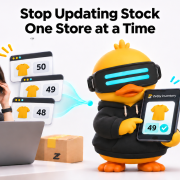
Stop Updating Stock One Store at a Time: How Zetpy Stock Sync Works
You have 10 units of the same product listed on Shopee, Lazada and TikTok Shop.
Two units sell on Shopee. You now have 8 left, but Lazada and TikTok Shop still show 10. Your team needs to update both channels manually.
Before they finish, another order comes in.
“Have we updated every store, or are we selling stock we no longer have?”
You opened more sales channels to grow your business. Now, keeping those channels updated is becoming a job of its own.
If this sounds familiar, it may be time to change how you manage inventory across your stores.
Every sale creates more work behind the scenes
Updating stock manually can feel manageable when you have a small product range and a few orders. But as your business grows, the work multiplies.
More products mean more quantities to check. More channels mean more places to update. More people handling orders mean more messages asking whether the latest numbers are correct.
Your team ends up repeating the same routine:
- Check which products have sold.
- Calculate the remaining quantities.
- Log in to each sales channel.
- Update the affected listings.
- Check again to make sure nothing was missed.
And the next order starts the cycle again.
The cost goes beyond time spent updating numbers
A missed stock update can create work for several people.
Imagine you have one unit left. It sells on one marketplace, but another store still shows it as available. Before your team updates that listing, a second buyer places an order.
Now someone needs to check the warehouse, explain the situation to the customer, and arrange the next step.
The same problem can work in the other direction. You receive new stock, but some listings still show “out of stock”. Customers browsing those stores cannot buy until the quantities are updated.
Manual stock management can leave you dealing with both risks: accepting orders you cannot fulfill and missing orders you could have fulfilled.
Does your team recognise these warning signs?
Take a quick look at how you manage stock today.
- Do you update the same product quantity in several seller centres?
- Does your team use messages or spreadsheets to confirm the latest stock?
- Have you discovered a stock shortage only after receiving an order?
- Do restocked products stay unavailable on some channels until someone updates them?
- Do you worry about keeping quantities accurate during a busy campaign?
If several of these sound familiar, your stock process may already be struggling to keep up with your sales. A shared inventory workflow can help reduce that repeated work.
How does Zetpy Stock Sync work?
Zetpy Inventory brings inventory management into one place and supports stock sync across Shopee, Lazada and TikTok Shop, with webstore integrations including Shopify, WooCommerce and Magento. Your connected channels and setup determine the workflow your business uses.
Zetpy Stock Sync updates inventory across connected sales channels from a shared stock quantity. When an order is received, Zetpy Inventory syncs inventory updates to your connected online sales channels within 30 seconds, helping reduce overselling risk.
For example, if you have 50 units and sell one on Shopee, your shared stock becomes 49. Connected listings on TikTok Shop, Lazada and Shopify are then updated to reflect the remaining quantity, as shown below.

 1 T-shirt sold
units remaining
 49available ✓
 49available ✓
 49available ✓
Connect the same products across your channels
Zetpy uses SKUs, the codes that identify your products, to match items across marketplaces. The same product or variation should use the same SKU across those channels.
Let connected orders update the shared inventory
When marketplace orders sync back to Zetpy, the stock deductions are recorded. Inventory updates then sync to connected sales channels, helping reduce the need to adjust every store separately.
Manage restocks from one place
When new stock arrives, you can update quantities in Zetpy. For larger updates, Bulk Stock Update lets you update product stock and sync it to connected channels.
The benefit is practical: fewer repeated updates and less reliance on someone remembering to change every listing.
What would less stock admin mean for your team?
Think about the work your team could spend more time on: preparing orders, answering customers, improving listings and planning the next promotion.
Stock sync helps reduce routine updates and overselling risk. Accurate physical counts, correctly matched SKUs and a properly configured setup still matter.
Getting those foundations right gives your team a more manageable way to sell across multiple channels.
Frequently asked questions about stock sync
Do my marketplace listings need matching SKUs?
Yes. The same product or variation should use the same SKU across your marketplaces so Zetpy can match it correctly. Different products and variations need distinct SKUs. Check your starting quantities after importing products.
How do I update stock after a restock?
Update your product stock quantities in Zetpy Inventory after a restock. For larger updates, use Bulk Stock Update. Zetpy then syncs the updated quantities to your connected sales channels.
Explore the Zetpy Inventory product tour to see how inventory and order management fit together.
Ready to stop updating stock one store at a time?
Bring your current sales channels and stock-management challenges to a Zetpy demo. See how stock sync could fit the way your business sells.