Introducing Zetpy’s Latest AI Features
Running an e-commerce business means making decisions every day. Which products are selling well? What should you restock? How can you write better product descriptions and prepare attractive product images without spending hours on every listing?
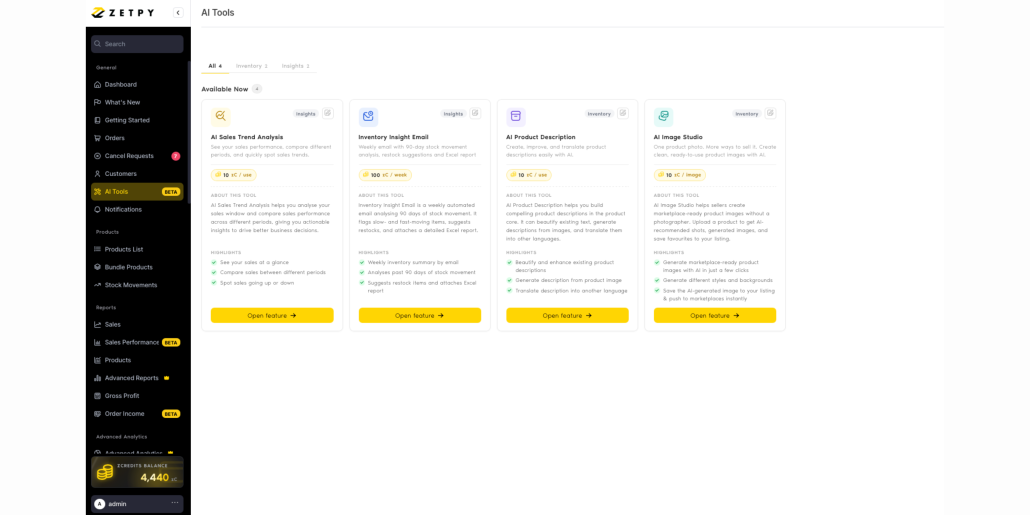
Zetpy’s latest AI features are designed to make these tasks easier. Available from the AI Tools section in Zetpy, these tools help turn your business data and product information into practical insights and ready-to-use content.
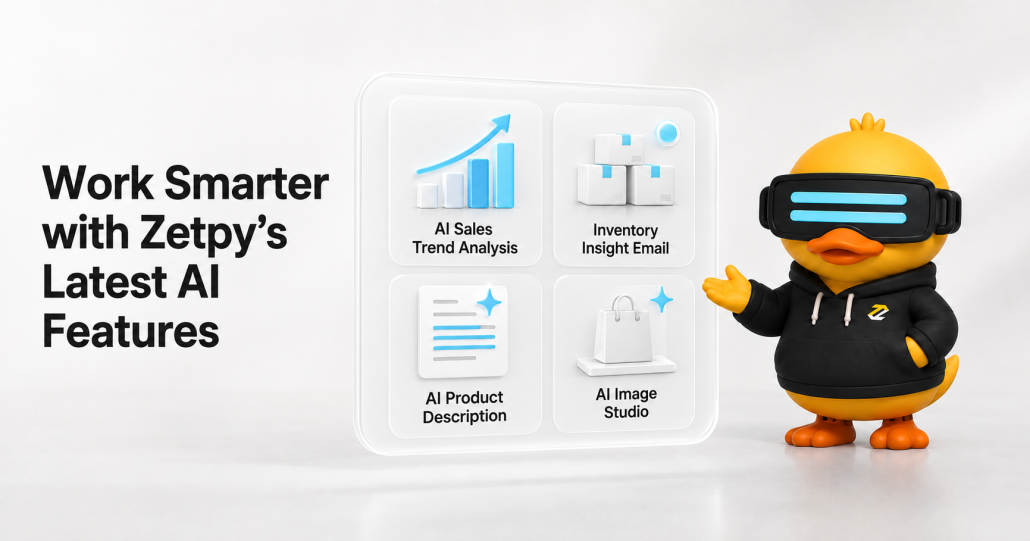
The four latest AI features are:
- AI Sales Trend Analysis
- Inventory Insight Email
- AI Product Description
- AI Image Studio
1. Understand Your Sales with AI Sales Trend Analysis
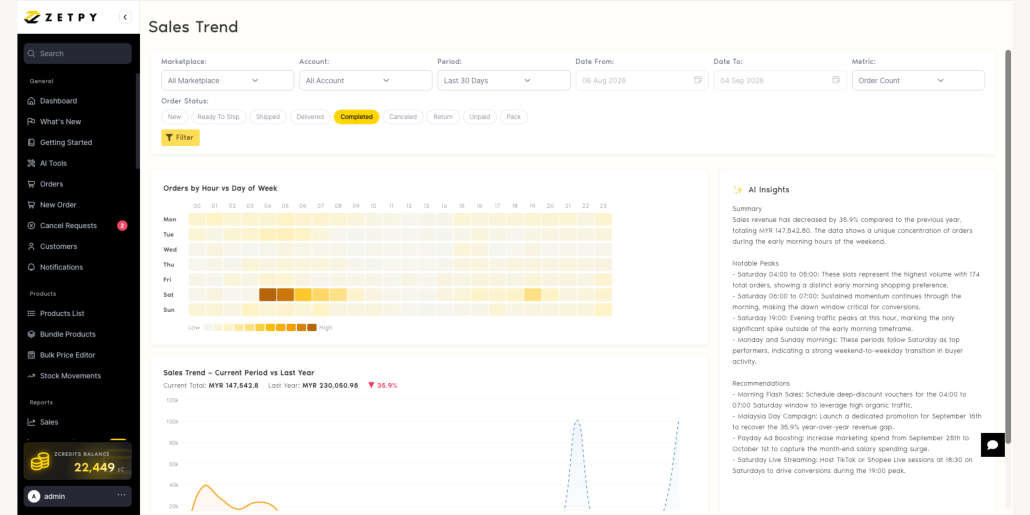
AI Sales Trend Analysis helps you review your sales performance and understand what the numbers mean with a single click.
You can filter the analysis by marketplace, account, period, date, order status, and metric. Zetpy then presents the results through easy-to-read charts, including order activity by hour and day, as well as sales comparisons between different periods.
The AI-generated insights highlight notable sales peaks, summarise performance, and provide practical recommendations based on the selected data. This can help you identify strong selling periods, plan promotions, and make more informed business decisions.
For example, if your orders regularly peak during a certain time of day, your team can use that insight when planning campaigns, livestreams, or staffing.
2. Stay Ahead of Stock Issues with Inventory Insight Email
Keeping the right amount of stock is a constant balancing act. Too little stock can lead to underselling, while too much stock can tie up cash as well as warehouse space.
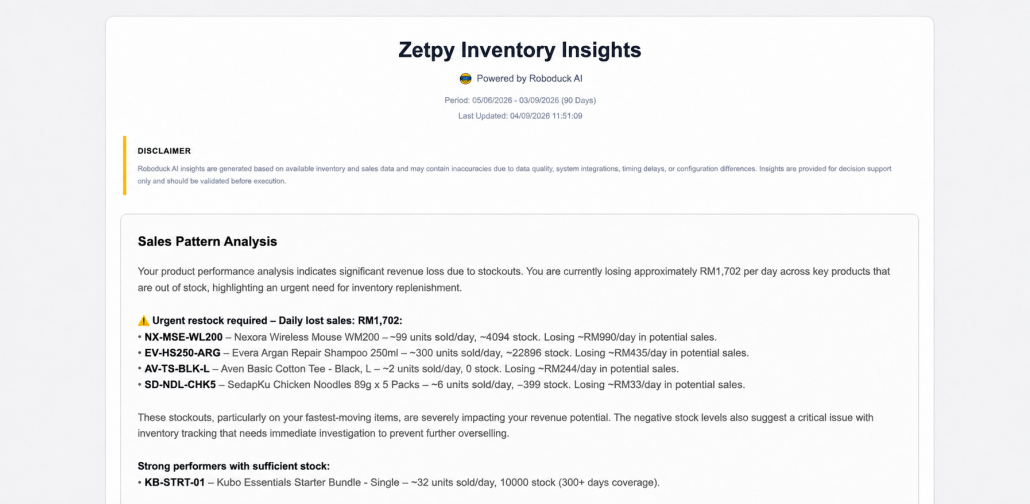
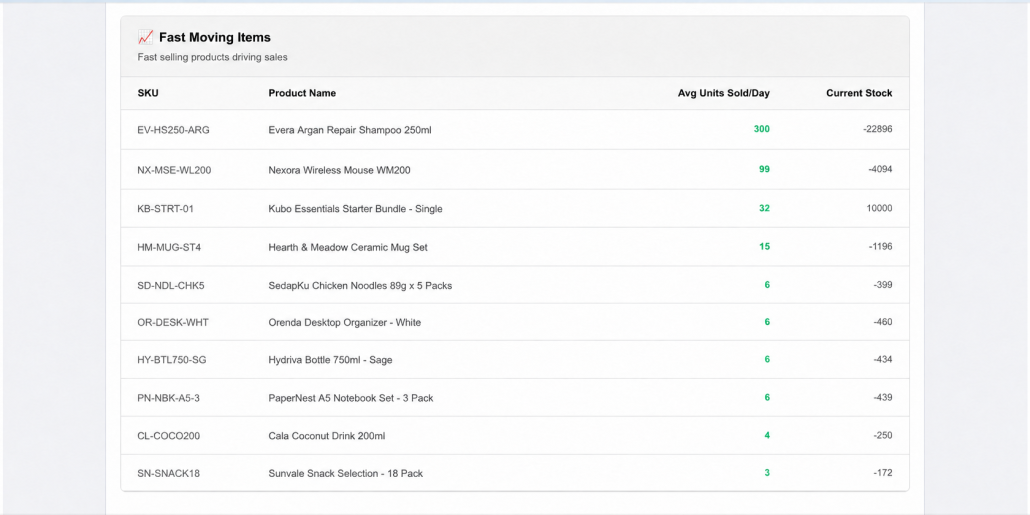
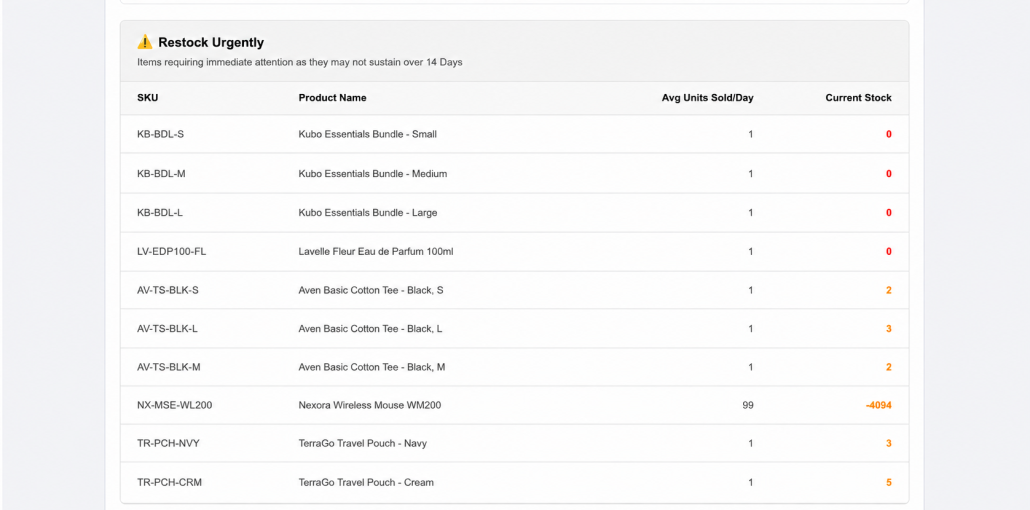
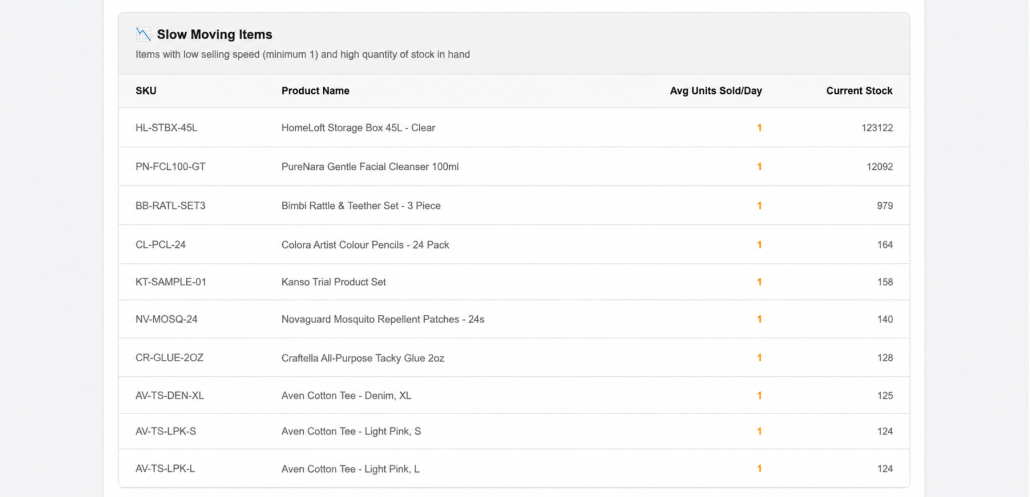
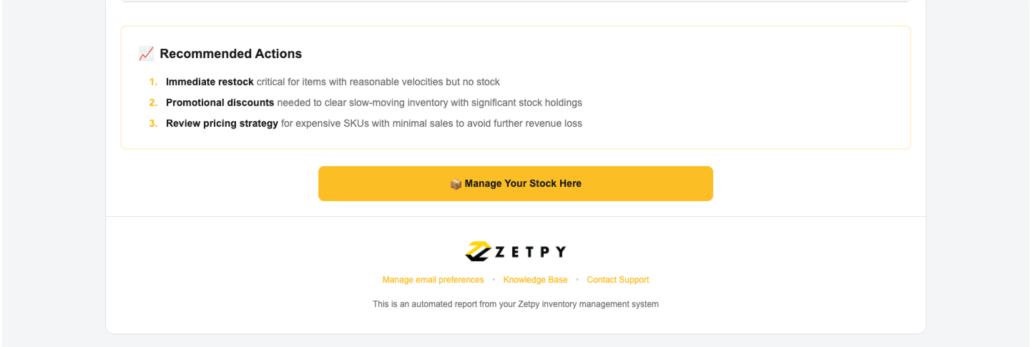
Inventory Insight Email gives your team a weekly automated view of stock movement. It analyses the past 90 days of inventory activity, identifies fast-moving and slow-moving products, and suggests items that may need restocking.
The email also includes a detailed Excel report, making it easier for your team to review as well.
This feature can help you:
- Notice potential restocking needs earlier
- Identify products that are moving slowly
- Review inventory performance without preparing reports manually
- Make purchasing and stock-planning decisions using clearer information
3. Create Better Listings with AI Product Description
Writing product descriptions for many items can be repetitive and time-consuming. AI Product Description helps you prepare and improve listing content directly within Zetpy’s product workflow.
You can use it to:
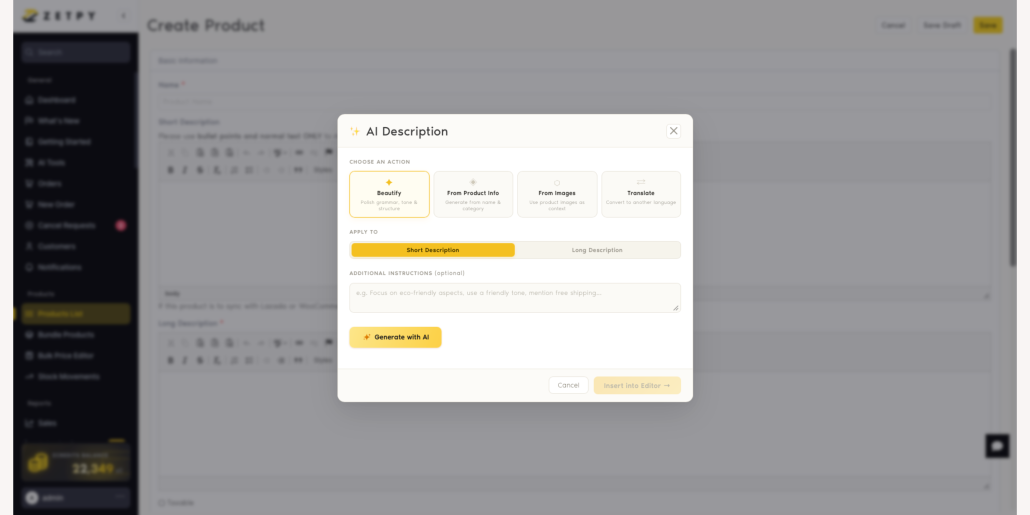
- Check and improve the grammar, tone, and structure of an existing description
- Generate a description based on the product name and category
- Help you to write a description using product images as context
- Translate a description into another language
- Apply the result to a short or long product description
You can also provide additional instructions, such as highlighting eco-friendly features, using a friendly tone, or mentioning a specific product benefit.
Once the content is generated, you can review it for accuracy and insert it into the product editor. This gives your team a faster starting point while keeping you in control of the final wording.
4. Produce Product Visuals with AI Image Studio
A good product image can help shoppers understand your products and can make your listings stands out more. However, the time and cost to be spent on every photo shoot for every product may not be practical.
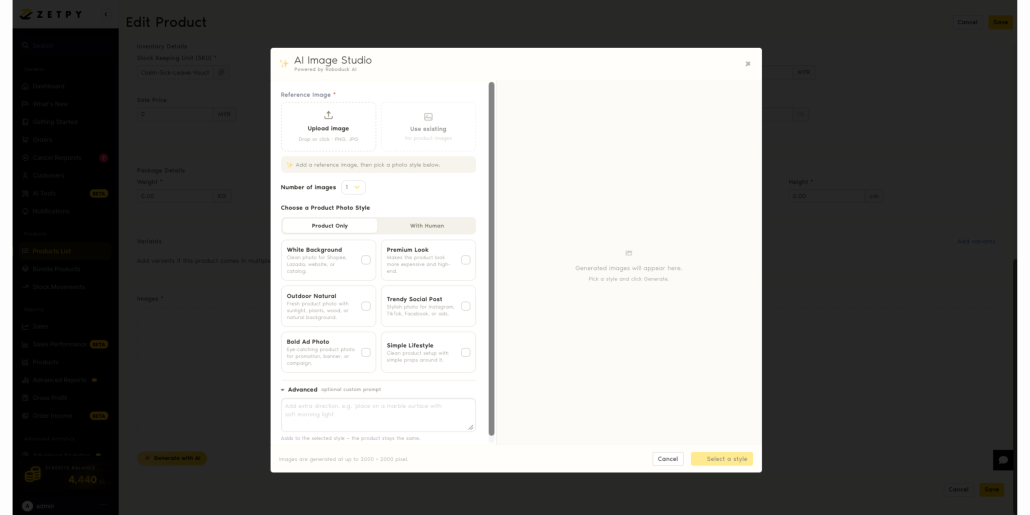
Zetpy’s AI Image Studio helps you generate marketplace-ready product images from a reference image. Upload a new image or select an existing product image, then choose a visual style that suits your goal.
Available styles include:
- White Background: Clean images that suitable marketplaces, websites, and catalogues
- Premium Look: A more polished and high-end product presentation
- Outdoor Natural: A natural setting with sunlight, plants, wood, or a natural background
- Trendy Social Post: Stylish images for Instagram, TikTok, Facebook, or advertisements
- Bold Ad Photo: Eye-catching images for promotions, banners, or campaigns
- Simple Lifestyle: A clean product scene with simple props
You can choose a product-only image or a composition featuring a person. Advanced options also let you provide extra creative direction.
Generated images can be produced at up to 2000 × 2000 pixels. Do always remember to review AI-generated visuals before publishing to ensure the product remains accurate and the image follows each marketplace’s listing guidelines.
Get More Done with Zetpy AI
Zetpy’s new AI tools act as useful assistant for you to use to manage your e-commerce operations. They can help your team understand real-time sales patterns, monitor inventory, prepare product descriptions as well as create product visuals with less manual work.
However, do always review its recommendations and generated content before making business decisions or publishing anything, especially when product details, claims, translations, prices, or marketplace requirements are involved.
📚 Check out our step-by-step tutorials here
Want to learn more about Zetpy’s latest AI features? Book a Demo today!
Frequently Asked Questions
What are zCredits?
zCredits are credits used to run Zetpy’s AI features. The current rate is RM1 for 10 zCredits.
How can I top up my zCredits?
For now, contact the Zetpy Sales Team to request a top-up. A self-service top-up option is planned for the Zetpy platform in the future.
Should I review AI-generated content before using it?
Yes. Always check descriptions, insights, recommendations, translations, and images for accuracy and suitability before publishing or making business decisions.