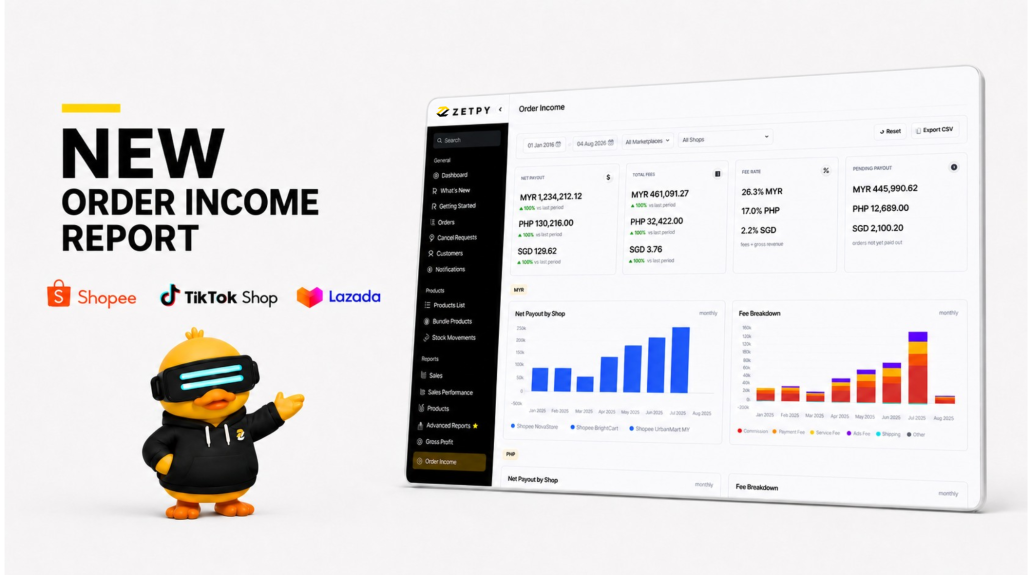
Managing online marketplace order is only one part of running an e-commerce business. You also need to know how much you will receive after marketplace fees and other deductions.
To make this easier, Zetpy is introducing the new Order Income Report. It brings payout information from completed marketplace orders into one place, so you can review your marketplace income without checking each seller account separately.
The report supports orders from Shopee, TikTok Shop, and Lazada.
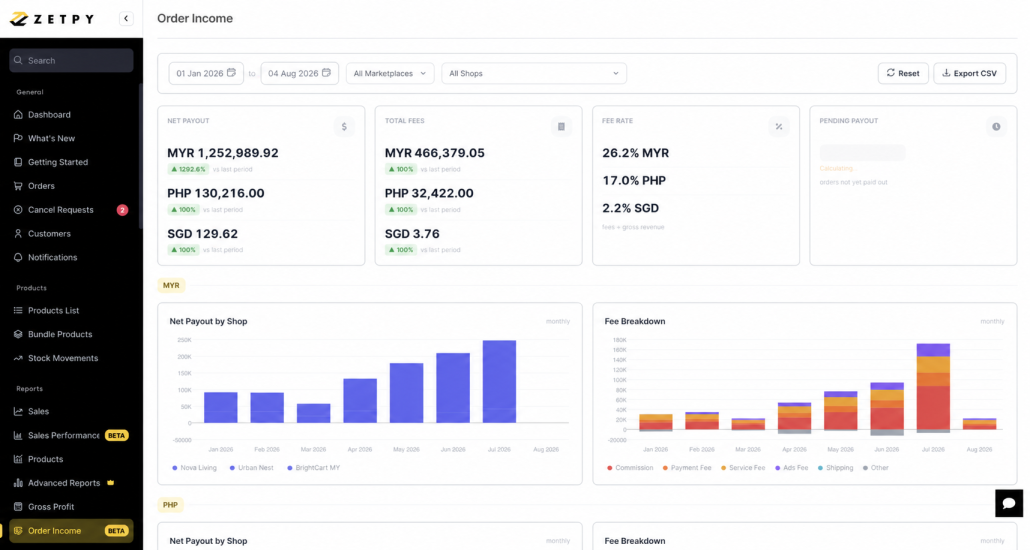
How the Order Income Report Benefits Your Business
A clear view of your marketplace income helps you make better financial and operational decisions. With the Order Income Report, you can:
- Save time by reviewing marketplace payouts in one place
- Track payouts that marketplaces have not released
- Compare the income generated by different shops
- Export payout data for reconciliation and internal reporting
This gives business owners, e-commerce teams, and finance teams clearer visibility into the actual income received from marketplace sales.
Get a Clear View of Your Marketplace Payouts
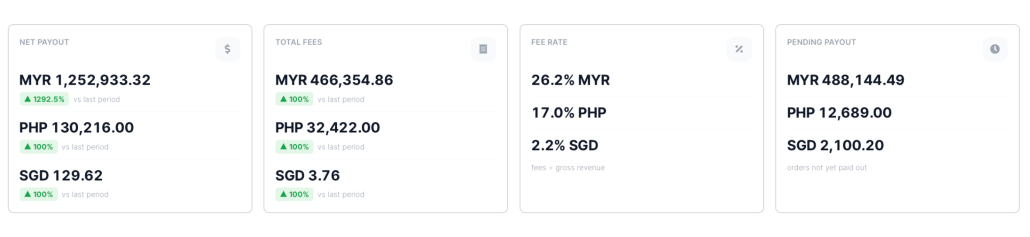
The Order Income Report gives you a quick summary of four important areas:
- Net Payout: The amount you receive after marketplace fees are deducted
- Total Fees: The total charges deducted from your marketplace revenue
- Fee Rate: The percentage of your gross revenue used to pay marketplace fees
- Pending Payout: The amount that has not yet been paid out by the marketplace
If you sell in different countries, the report also separates the figures by currency, such as MYR, PHP, and SGD.
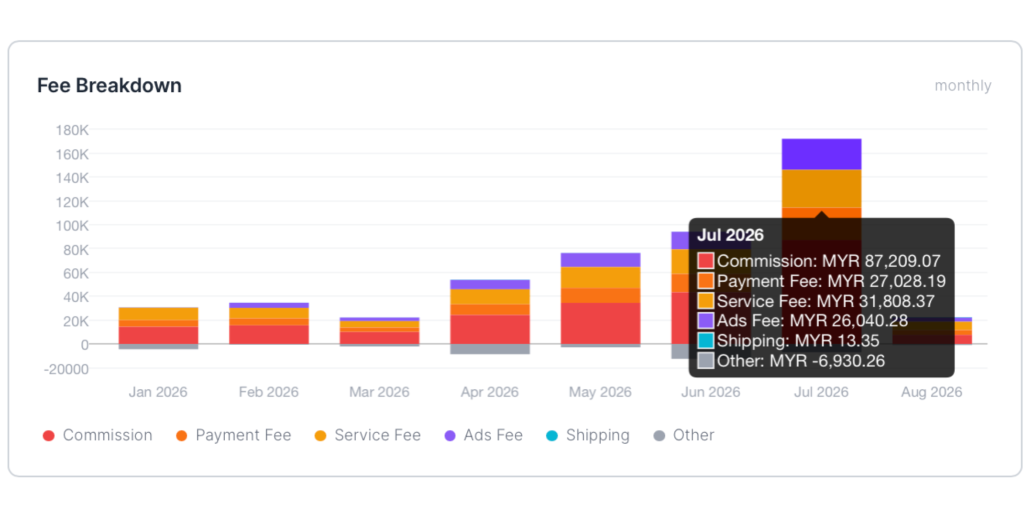
Understand Your Marketplace Fees
Marketplace fees can include several types of charges. It may be difficult to understand how much each fee affects your final payout.
The Order Income Report provides a monthly fee breakdown for categories such as:
- Commission
- Payment fee
- Service fee
- Advertising fee
- Shipping fee
- Other charges
With this breakdown, you can see where your money is going and monitor how marketplace fees change over time.
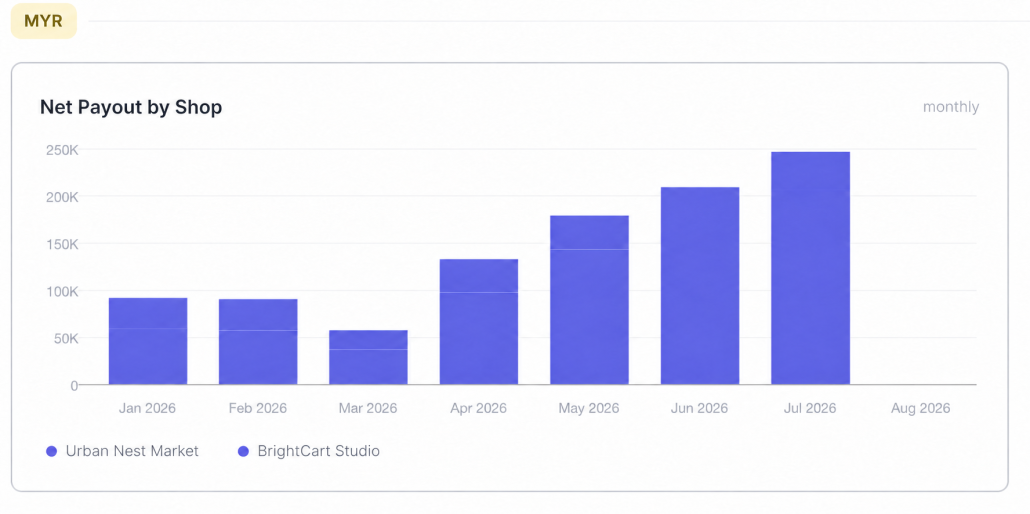
Compare Net Payouts Across Your Shops
For sellers managing multiple marketplace shops, the report includes a Net Payout by Shop chart.
This chart lets you compare the monthly payouts from each shop. It gives business owners and e-commerce teams a clearer understanding of which shops are contributing the most income.
You can filter the information by date, marketplace, or shop to focus on the data you need.
Export Your Report When Needed
Need to perform further analysis or share the information with your finance team?
You can export the Order Income Report as a CSV file. The exported data can support payout reconciliation, financial reporting, and internal reviews.
Book a Free 1-on1 Demo to see the report with your eyes!